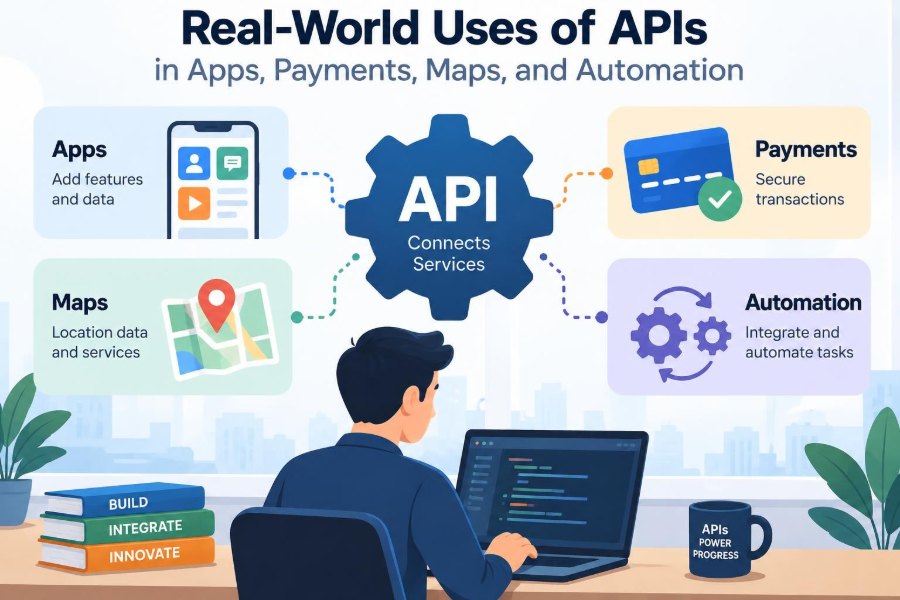

You open a food-delivery app, choose a restaurant, see its location on a map, pay with a saved card, and receive a message when the driver is nearby. It feels like one smooth product, even though several different systems are working together.
The restaurant may use one system for its menu, the app may use another for orders, a map provider may calculate the route, and a payment provider may handle the transaction. The connections between those systems are usually APIs.
APIs are easy to describe as “ways for software to talk,” but that phrase can hide their practical value. They let teams reuse specialized services instead of rebuilding every capability from scratch.
For students, APIs make projects capable of interacting with the wider web. For working professionals, they are often the boundary where product decisions, reliability, privacy, security, and customer experience meet.
🔌 APIs Are Agreements Between Software Systems
An application programming interface, or API, is a defined way for one software component to request data or an action from another component. The API describes what can be requested, what information must be supplied, and what response should be expected.
Think of a restaurant menu. A customer does not enter the kitchen and decide how the oven works; they choose from available options and place an order in an expected format. An API similarly exposes useful capabilities while hiding much of the internal implementation.
📨 Requests and Responses Form the Basic Conversation
Many web APIs use HTTP, the same family of protocols used when browsers request web pages. A client sends a request to a particular endpoint, such as /orders/123, and the server returns a response.
A request commonly includes a method, URL, headers, and sometimes a body. The response includes a status code and usually data, often in JSON, a text-based format that represents objects, lists, numbers, and strings.
GET /weather?city=Leeds
Accept: application/json
The server might return the temperature, forecast conditions, and a timestamp. A well-designed client also handles the possibility that the city is unknown, the service is busy, or the network is unavailable.
🧩 APIs Connect Specialized Building Blocks
Modern applications rarely come from a single codebase controlled by one team. A business may combine its own customer database with services for email, shipping, identity verification, analytics, and fraud screening.
This modular approach can reduce development time, but it creates dependencies. When an external API changes behavior or becomes unavailable, the user may experience a feature failure even if the app’s own servers are healthy.
📱 Mobile Apps Use APIs for Their Own Back Ends
A mobile app is often mainly an interface for a remote back end. When a user signs in, loads a feed, updates a profile, or submits a form, the app typically calls an API owned by the same organization.
The API keeps business rules in one place. For example, rather than trusting a phone to calculate a discount, the server can validate eligibility and return the approved total. This helps maintain consistent behavior across Android, iOS, and web clients.
🛒 E-Commerce APIs Keep Storefronts Current
An online store needs product details, prices, stock levels, promotions, delivery options, and order status. APIs move this information between the storefront, inventory system, warehouse tools, and customer support software.
Consider a hypothetical shop selling limited-edition shoes. When stock falls to zero, the inventory API should prevent new purchases from being confirmed. If inventory updates lag behind checkout, the business may oversell products it cannot fulfill.
💳 Payment APIs Turn Checkout Into a Controlled Workflow
A payment API lets an application initiate and track a payment without directly implementing every connection to banks, card networks, or digital wallets. The application sends the required payment details to a payment provider and receives a result such as authorized, declined, or pending.
Payment is not simply a single “charge card” command. It may include creating a payment intent, collecting customer authentication when needed, confirming authorization, capturing funds, issuing refunds, and reconciling later records.
🔐 Sensitive Payment Data Needs Strong Boundaries
Card numbers and other payment credentials should not casually pass through every service in an application. Payment providers commonly offer hosted fields, tokenization, or hosted checkout pages so the app handles a non-sensitive token instead of raw card data.
Tokenization replaces a sensitive value with a reference that has limited use. It reduces exposure, but it does not remove all responsibility: developers still need secure authentication, careful logging, access controls, and compliance appropriate to their payment setup.
✅ Payment Status Must Be Verified Server-Side
A browser or mobile app can show a “payment successful” screen, but that screen alone is not reliable proof that an order should be shipped. Clients can disconnect, be modified, or receive incomplete information.
Robust systems confirm important payment events on the server, often using a provider callback called a webhook. A webhook is an HTTP request sent by one system to notify another that an event occurred, such as a successful capture or a refund.
🗺️ Mapping APIs Add Place and Distance Awareness
Mapping APIs can display maps, search for places, convert an address into coordinates, calculate routes, and estimate travel time. They power ride-hailing pickup screens, store locators, delivery tracking, field-service scheduling, and travel planners.
A map on screen is only one feature. The useful business decision may be “which technician can arrive first?” That decision can combine location data, route estimates, working hours, traffic conditions, and job duration.
📍 Geocoding Is Not the Same as Navigation
Geocoding converts an address such as “10 Market Street” into geographic coordinates. Reverse geocoding does the opposite: it turns coordinates into a nearby readable address.
Routing is different. It finds a path between locations according to rules such as driving, walking, avoiding tolls, or using public transport. Treating these as one feature can lead to poor designs; a delivery app may need both, but at different moments and with different accuracy expectations.
🚗 Location Data Requires Product Judgment
Location can be inaccurate, delayed, or unavailable indoors. A pin from a phone may identify a nearby street rather than a building entrance, and a route estimate is not a promise of arrival time.
Collect only the location data the feature genuinely needs. Clear permission explanations, limited retention, and a manual address option are practical design choices, not merely legal formalities.
🌦️ Data APIs Make Apps Context-Aware
Weather, exchange-rate, transit, sports, public-record, and calendar APIs can make an app respond to real conditions. A gardening app might show a forecast; a travel app might display local transit disruptions.
External data should be treated as input with limitations. It can be missing, stale, licensed for restricted uses, or expressed in a unit the application does not expect. Good interfaces show useful context without implying certainty the source cannot provide.
🔎 Search APIs Reduce the Cost of Finding Information
Search APIs can query a catalog, documentation collection, knowledge base, or organization-wide index. Instead of building indexing, ranking, typo handling, and filtering from the beginning, a team may integrate a search service.
The trade-off is that search quality becomes partly dependent on the data sent to that service. If product names, categories, or permissions are incomplete, excellent ranking algorithms cannot fully repair the result.
✉️ Communication APIs Deliver Operational Messages
Email, SMS, push-notification, and voice APIs let applications send account confirmations, delivery updates, appointment reminders, and security alerts. The API call may be simple, but message delivery has real-world consequences.
A useful notification is timely, specific, and respectful of user preferences. Repeated low-value alerts train people to mute notifications, which can make genuinely urgent messages easier to miss.
🤖 Automation APIs Replace Repetitive Handoffs
Automation connects events to follow-up actions. For example, when a customer submits a support form, an API workflow can create a ticket, categorize it, notify the correct team, and record the interaction in a customer system.
This does not mean every process should be fully automatic. A high-impact action, such as canceling an account or approving a large refund, may need a human review step even when APIs gather the necessary information.
🔄 Webhooks Make Event-Driven Systems Practical
Without webhooks, an application might repeatedly ask another service, “Has anything changed?” This is called polling. It can be appropriate for some cases, but frequent polling wastes requests and may delay updates.
With a webhook, the provider sends an event when it occurs. The receiving system should acknowledge quickly, verify the sender, store the event safely, and process longer work asynchronously.
🧠 Idempotency Prevents Duplicate Real-World Actions
Networks fail in inconvenient ways. A client might send a payment request, time out before receiving the response, and retry. If the server treats both requests as new, the customer could be charged twice.
Idempotency means that repeating the same intended operation has the same effect as doing it once. APIs often support an idempotency key, allowing the server to recognize a retry and return the original result instead of creating another action.
🔑 Authentication Answers Who Is Calling
Authentication establishes the identity of a caller. Common approaches include API keys, session cookies, signed tokens, and OAuth-based access tokens. The right approach depends on whether the caller is a person, a browser, a mobile app, or a server.
An API key embedded in a public mobile app is not a safe secret, because users can inspect the app. Sensitive credentials belong on controlled servers or in purpose-built, restricted client configurations.
🛂 Authorization Answers What They May Do
Authentication and authorization are related but different. After identifying a user, the API must decide whether that user may view a record, change it, or perform an administrative action.
A common mistake is checking that someone is logged in but not checking ownership. If an endpoint accepts an order ID, the server should verify that the authenticated customer is permitted to access that particular order.
🧱 API Design Should Reflect Real Tasks
Good API design begins with the work users and systems need to do, not with a random list of database tables. A customer may need to “place an order,” which involves validation and inventory reservation, rather than separately editing several internal records.
Clear names, predictable formats, and meaningful errors reduce integration mistakes. An error such as “payment method expired” gives an application something useful to display or act on; “error 500” does not.
📚 Documentation Is Part of the Product
Developers need more than an endpoint list. Effective API documentation explains authentication, required fields, response shapes, error cases, pagination, rate limits, and example workflows.
Examples should be realistic but should never expose real credentials or personal data. A sandbox environment, where available, helps developers test integrations without triggering actual deliveries, messages, or payments.
🚦 Rate Limits Protect Shared Services
A rate limit restricts how often a client can call an API during a given period. It can protect a service from accidental loops, abusive traffic, and capacity spikes caused by one noisy integration.
Clients should not react to a rate-limit response by retrying immediately in a tight loop. They should slow down, respect retry guidance when provided, and use exponential backoff: progressively longer waits between retry attempts.
⏱️ Timeouts and Retries Need Deliberate Rules
A timeout does not always mean an operation failed; it may mean the response did not arrive in time. Retrying can improve reliability for temporary failures, but retries can worsen an overloaded service or duplicate non-idempotent actions.
| Situation | Safer default response |
|---|---|
| Temporary network error on a read request | Retry with a limit and backoff |
| Timeout after creating a payment | Use an idempotency key and check status |
| Validation error from the API | Fix the request; do not blindly retry |
| Rate-limit response | Wait, reduce request volume, then retry |
These rules are best decided before an incident, not while a queue of customer actions is piling up.
🧯 Failure Handling Shapes User Trust
External services will sometimes be slow or unavailable. A resilient application distinguishes between essential and optional dependencies. A checkout may need payment processing, while a product page may still be usable if personalized recommendations fail.
Use honest messages: “We could not load delivery estimates right now” is better than showing a false estimate. Preserve user input where possible so a temporary API problem does not force someone to start again.
📊 Observability Makes Integrations Debuggable
When an API workflow fails, teams need to know where and why. Observability means collecting enough signals—logs, metrics, traces, and correlation IDs—to understand a system’s behavior.
A correlation ID can follow one order from a mobile app through an order service, payment provider, and notification service. Logs should record useful context while avoiding passwords, tokens, full payment data, and unnecessary personal information.
🧪 Testing Must Include the Unhappy Paths
A demo that works with a perfect response is not enough. Test invalid input, expired credentials, partial outages, delayed webhooks, duplicate events, malformed data, and permission failures.
Mocks and test doubles are valuable because they make edge cases repeatable. They should be complemented by integration tests against safe test environments, since a mock may not capture every real provider behavior.
🔧 Versioning Helps APIs Evolve Without Breaking Clients
APIs change as products grow. A field may be added, behavior may be clarified, or an older endpoint may eventually need replacement. Versioning and deprecation policies give clients time to adapt.
Adding optional information is often less disruptive than renaming or removing existing fields. Providers should communicate breaking changes clearly; consumers should avoid assuming that undocumented fields or ordering will remain stable.
💰 Cost and Vendor Dependence Need Early Attention
Third-party APIs can speed up delivery, but usage fees, quotas, data-transfer costs, and feature restrictions may become significant as an app grows. A map feature with frequent route calculations, for example, may cost differently from a simple static map display.
It is wise to record which capabilities are provider-specific and which are part of your own domain model. A thin internal layer can make future migration easier, though excessive abstraction can also hide useful provider features.
⚖️ Choosing Build, Buy, or Combine
Use a third-party API when a capability is specialized, non-differentiating, or expensive to build safely—payments and email delivery are common examples. Build internally when the behavior is core to the product and requires deep control.
Many successful systems combine both. They buy commodity infrastructure while building the rules, workflows, and experiences that make the product distinctive.
🧭 A Practical Checklist Before You Integrate
Before adding an API, clarify the user outcome and the operational responsibilities that come with it.
- What data is sent, and is every field necessary?
- How will the caller authenticate and what permissions are required?
- What happens when the service is slow, unavailable, or returns incomplete data?
- Which operations need idempotency, audit records, or human approval?
- How will usage, errors, cost, and provider changes be monitored?
- Can users complete a meaningful task if this optional dependency fails?
These questions turn an integration from a quick demo into a feature that can survive normal operational reality.
🎯 The Core Principle: APIs Extend Capability, Not Responsibility
APIs let applications offer payments, maps, communication, data, and automation far beyond what one team could reasonably build alone. Their value comes from clear contracts and reusable capabilities.
But calling an API does not outsource product judgment. Teams remain responsible for secure handling of data, correct business rules, understandable failures, reliable retries, and a user experience that makes sense when conditions are imperfect.
The most useful API integrations treat external services as dependable collaborators with explicit limits, rather than magical black boxes. Build around those limits thoughtfully, and APIs become a practical foundation for software that works in the real world. ⚙️🔌🗺️