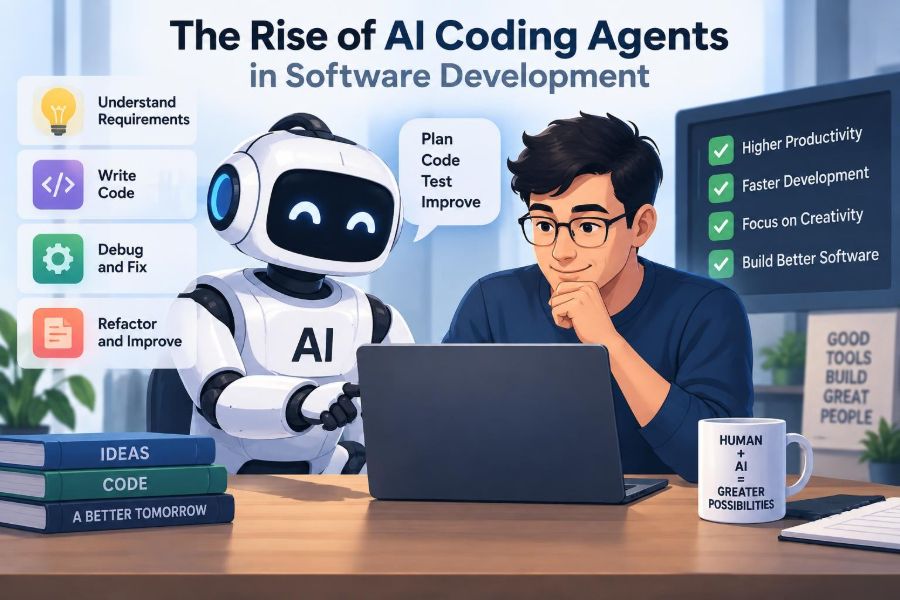

A developer opens a pull request with a deceptively small request: add a validation rule, update the API response, and write tests. The change touches a controller, a database migration, a client type, a test fixture, and a deployment setting. The code itself is not necessarily difficult. Finding every place that must change is the real work.
For years, programming assistants mainly helped at the cursor. They completed a line, suggested a function, or explained an error message. A newer class of tools, often called AI coding agents, is designed to take a broader assignment: inspect a repository, make a plan, edit several files, run commands, read failures, and revise its own work.
That shift matters because software development is much more than typing code. It involves understanding requirements, navigating existing systems, testing assumptions, reviewing trade-offs, and being accountable for what reaches users.
AI coding agents can reduce friction in that process, but they also change where engineers need to concentrate. The key question is not whether an agent can produce code. It is whether a team can direct, verify, and safely integrate the work it produces.
🧭 What Makes a Tool an AI Coding Agent?
An AI coding agent is a software tool that uses a language model to pursue a programming goal through multiple steps. Rather than returning a single answer, it can use tools such as repository search, file editing, terminal commands, test runners, and issue trackers.
A useful distinction is agency: the tool can choose a next action based on the result of a previous action. If a test fails after an edit, it may inspect the failure, locate a related module, and attempt a correction.
The word “agent” does not imply independent judgment in the human sense. It describes a workflow pattern: goal, actions, observations, and iteration within a defined environment.
⌨️ From Autocomplete to Multi-Step Workflows
Traditional code completion predicts what might come next at the cursor. Chat assistants extend this by answering questions or generating a focused snippet. Both can be valuable while the developer remains the person assembling the solution.
An agent works at a larger scope. It may receive a task such as “add pagination to this endpoint,” identify relevant files, propose a plan, implement changes, and run a targeted test suite.
| Tool pattern | Typical scope | Developer responsibility |
|---|---|---|
| Autocomplete | Lines or small blocks | Accept, adapt, and place suggestions |
| Chat assistant | Question, explanation, or snippet | Provide context and integrate the answer |
| Coding agent | Task spanning files and commands | Set boundaries, review evidence, and approve changes |
The categories overlap. A single product may offer all three modes, and the quality of an agent depends heavily on its tools, permissions, and the codebase it is asked to change.
🧠 The Loop Behind Agent Behavior
Most coding-agent workflows resemble a loop: understand the request, inspect context, choose an action, observe the outcome, and continue until a stopping condition is met. The loop can be short for a documentation update or long for a bug that requires diagnosis.
For example, an agent asked to fix a failing parser test might search for the parser, read nearby tests, reproduce the failure, patch a condition, rerun the test, and summarize the diff. Each command output becomes additional context for the next decision.
This is powerful because software repositories contain information that a one-shot prompt cannot reasonably include. It is also risky because an incorrect early assumption can lead the agent through many confidently executed but misguided steps.
🗂️ Why Repository Context Changes Everything
Good code is not merely syntactically valid. It follows local conventions: how errors are represented, where configuration belongs, which abstractions are stable, and what compatibility promises the system makes.
An agent needs access to enough relevant context to reason about those conventions. Useful context may include source files, tests, build scripts, dependency manifests, architectural notes, and recent changes.
More context is not automatically better. Large repositories contain stale comments, obsolete modules, and conflicting patterns. Strong workflows help the agent find the right context rather than dumping the entire codebase into a prompt.
🔎 Exploration Is Often the First Real Task
Before changing code, an agent should explore. It can search for the public method named in an issue, trace its callers, inspect tests that define expected behavior, and identify the configuration path used in production.
This exploration phase resembles what an experienced engineer does when entering unfamiliar code. It prevents a common failure mode: implementing a plausible feature in the wrong layer.
A request to “add retry logic,” for instance, could belong in an HTTP client, a job worker, a queue consumer, or a user-facing workflow. The repository’s existing boundaries should decide that question, not the first matching filename.
📝 Planning Turns a Vague Request into Checkable Work
Planning is one of the most useful capabilities an agent can expose. A visible plan gives a developer a chance to correct the interpretation before files are edited.
A practical plan names the affected components, the intended behavior, the tests to add or update, and the uncertain points. It should be specific enough to review without pretending to know facts the repository has not established.
- Identify the current behavior and its entry points.
- State the proposed behavioral change and compatibility impact.
- List source, test, and configuration areas likely to change.
- Define validation commands and any manual checks required.
If an agent cannot form a credible plan, that is valuable information. The task may need a clearer specification, a domain expert, or a smaller first step.
🛠️ Editing Across Files Is Where Agents Save Time
Many everyday changes are repetitive but connected. Renaming a field may require updating a schema, server mapping, client type, test data, documentation, and snapshots. An agent can search for references and apply coordinated edits faster than a person switching between files.
The value is not that bulk editing is impossible manually. It is that the agent can reduce mechanical navigation while preserving the developer’s attention for the design decision: should the field be renamed at all, and how will existing consumers migrate?
Small, reviewable diffs remain preferable. A broad request does not justify unrelated formatting changes or opportunistic refactoring hidden inside the same patch.
🧪 Tests Give Agents Feedback, Not Proof
Running tests is a major improvement over generating code without execution. Test output gives an agent concrete feedback about compilation errors, broken assumptions, and mismatched expected values.
Yet passing tests are not proof of correctness. A test suite may omit edge cases, encode an old bug as expected behavior, or never exercise an important integration path.
Tests are a feedback channel, not a substitute for engineering judgment. Agents should run targeted tests early, then broader checks where the change warrants them. Humans should still ask whether the tests verify the requirement rather than merely the implementation.
🐛 Debugging Can Be More Than Reading an Error
Agents can assist with debugging by gathering evidence: reproducing an issue, comparing logs, tracing inputs through functions, and isolating a minimal failing case. This is particularly useful when the work involves tedious inspection across layers.
A capable debugging workflow distinguishes observation from explanation. “This null value reaches the serializer” is an observation. “The database migration caused it” is a hypothesis that needs verification.
Developers should be wary when an agent jumps directly from a stack trace to a sweeping fix. A locally plausible patch can conceal the symptom while leaving the causal defect intact.
📚 Documentation Is Part of the Deliverable
Agents can draft API documentation, update examples, explain configuration flags, and create migration notes alongside code changes. This helps reduce the familiar gap between a feature and the information needed to use it.
Documentation generation needs the same review as code generation. An agent may describe intended behavior rather than actual behavior, especially when requirements are ambiguous or tests are incomplete.
A good practice is to ask for documentation changes only after the implementation and tests establish the final interface. Then review examples by treating them as executable claims: could a new teammate follow them successfully?
⚙️ Tool Access Defines the Agent’s Real Capability
A model without tools can suggest changes. An agent with a repository browser can investigate. An agent with a shell can build and test. An agent with deployment credentials can potentially affect real systems.
Permissions should match the task and environment. Read-only access may be enough for code explanation. A temporary workspace may suit implementation. Production changes deserve far stronger controls and explicit human approval.
Think of tool access as part of the system design, not a setup detail. The same model can be low-risk or high-risk depending on what it is allowed to read, modify, execute, and transmit.
🔐 Secrets and Sensitive Context Need Boundaries
Repositories and terminals can expose API keys, customer data, internal URLs, proprietary algorithms, and credentials stored in misconfigured files. An agent that can read broadly may inadvertently include sensitive material in an output or send it to an external service, depending on the tool’s configuration.
Teams should know where agent prompts, tool outputs, and generated artifacts are processed and retained. They should avoid placing secrets in prompts and use secret scanning, environment isolation, and least-privilege credentials.
These controls are not unique to AI tools, but agents amplify the need for them because they can inspect many files and execute many commands quickly.
🧱 Sandboxes Limit the Blast Radius
A sandbox is an isolated environment for running untrusted or potentially unsafe code. For coding agents, sandboxes can restrict filesystem access, network access, available commands, and the credentials exposed to a task.
This matters because repository code is not always harmless. Build scripts can download dependencies, test fixtures can invoke services, and generated commands can have unexpected side effects.
A safer default is to let an agent work in a disposable branch or workspace with limited credentials. Escalate access only when the benefit is clear and a human understands the consequences.
🧯 Command Execution Requires Guardrails
Commands are useful because they convert claims into evidence. They are dangerous because shell commands can delete files, alter databases, consume resources, or contact external systems.
Effective guardrails may include command allowlists, network restrictions, resource limits, protected paths, and confirmation for destructive operations. Logging the commands and their output also makes review and incident investigation easier.
An agent should not be trusted simply because a command looks routine. Even a familiar command can operate on the wrong directory, environment, or account.
🎯 Clear Task Framing Produces Better Results
“Fix the checkout bug” is not a usable specification. It leaves open which user flow is broken, what behavior is expected, what evidence exists, and whether a workaround is acceptable.
Better task prompts include the observed behavior, expected behavior, relevant constraints, acceptance criteria, and the desired scope. They also state what must not change, such as a public API or a migration schedule.
Goal: Reject expired coupons before payment authorization.
Constraint: Keep the existing checkout API response shape.
Acceptance: Add coverage for expired, valid, and missing expiry dates.
Boundary: Do not change payment provider integration.
This framing helps humans too. An agent is not a replacement for requirements; it makes good requirements more actionable.
🧩 Small Tasks Usually Beat Giant Missions
It is tempting to give an agent a large request such as “modernize the authentication system.” Such work often mixes product policy, security design, data migration, infrastructure, and user communication—areas where hidden assumptions are expensive.
Break the mission into checkpoints: map the current authentication flow, identify deprecated dependencies, propose options, add a compatibility test, or migrate one internal service. Each checkpoint creates an opportunity to review direction.
Autonomy should expand with confidence and reversibility. A task with a narrow scope, strong tests, and an easy rollback is a much better candidate for agent execution than an irreversible cross-system change.
👀 Code Review Remains a Human-Centered Skill
Reviewing agent-produced code is not just looking for syntax mistakes. Reviewers need to evaluate intent, architecture, security implications, error handling, operational behavior, and whether the patch solves the stated problem.
In fact, fluent-looking generated code can make review harder. A polished explanation may cause readers to skim past a subtle assumption, such as treating a missing permission as an empty result.
Useful review questions include:
- What requirement does each meaningful change satisfy?
- What inputs, failures, and concurrent conditions were considered?
- Does the change fit the system’s existing ownership boundaries?
- What evidence supports correctness beyond the agent’s summary?
🧾 Diffs Are More Trustworthy Than Narratives
An agent’s summary is helpful, but it is a description of work, not the work itself. The diff, test output, and runtime behavior are the evidence that matters.
Teams can improve review by asking agents to report changed files, commands run, test results, unresolved warnings, and assumptions made. This creates an audit trail and makes it easier to spot work that exceeded the requested scope.
A concise, honest report is better than a long claim of success. “Unit tests passed; integration tests were not run because the local service was unavailable” is actionable information.
🧠 Hallucinations Become Engineering Defects
Language models can produce statements or code based on patterns that sound credible but do not match reality. In software work, this may look like an invented library function, a nonexistent configuration key, or a claim that a test passed when it was never executed.
Tool use can reduce this problem because the agent can inspect files and run commands. It cannot eliminate it. Tools may fail, outputs may be misread, and a passing command may validate the wrong target.
The remedy is verification tied to the environment: compile the code, inspect the actual API, run relevant tests, and test critical behavior in an appropriate staging setting.
🪤 Common Failure Modes Are Predictable
Many agent failures are ordinary software failures accelerated by automation. Knowing their patterns makes them easier to catch.
- Overfitting to a visible test: changing behavior only enough to satisfy one assertion.
- Shallow search: editing the first matching file while missing another implementation.
- Scope drift: mixing requested work with broad refactors or dependency upgrades.
- False completion: declaring success despite skipped checks or unresolved failures.
- Policy blindness: implementing a technically valid path that violates security, privacy, or product rules.
These are reasons to design a review process, not reasons to abandon the tools. The strongest controls target the specific way a workflow can fail.
🔒 Security Work Demands Extra Skepticism
Authentication, authorization, cryptography, input handling, dependency updates, and permission changes require careful threat modeling. An agent may recognize common patterns but miss an application-specific trust boundary.
For example, adding an authorization check in a user interface does not secure a server endpoint. A reviewer must verify enforcement at the appropriate layer and consider alternate entry points.
Use agents to help inventory call sites, draft tests, or explain code paths, but apply security review practices that are proportionate to the risk. Generated code is not a security guarantee.
⚖️ Licensing and Provenance Questions Do Not Disappear
Software teams may have obligations related to licenses, attribution, internal policy, and third-party code approval. Generated output can create uncertainty when it resembles existing code or introduces packages without a clear reason.
Practical safeguards include dependency review, automated license checks where available, and a policy requiring developers to understand new external components before merging them. Avoid treating generated code as exempt from the organization’s normal governance.
Provenance is also about maintainability. A team should be able to explain why code exists, what behavior it implements, and how to safely change it later.
📈 Productivity Is More Than Faster Typing
An agent may save time on scaffolding, test setup, code search, routine transformations, and initial debugging. Those savings are real only if they are not offset by extensive rework, difficult review, or production incidents.
A better question than “How many lines did it generate?” is: did it shorten the time from a well-defined task to a verified, maintainable change? Lines of code can increase while quality and delivery speed decline.
Teams should assess usefulness in their own workflows. The outcome will differ between a well-tested internal service, a poorly documented legacy application, and a safety-critical system with strict validation needs.
🏗️ Legacy Systems Are Both an Opportunity and a Trap
Older codebases often contain repetitive patterns, sparse documentation, and fragile dependencies. Agents can help map modules, explain unfamiliar code, generate characterization tests, and perform careful mechanical updates.
But legacy systems also have undocumented behavior that users depend on. An agent may “clean up” an odd condition without realizing it supports a historical integration.
Start by asking an agent to observe rather than change: identify entry points, list dependencies, summarize test coverage, and propose risks. Characterization tests—tests that capture current behavior—can provide a safer baseline before modernization.
🌱 Junior Engineers Need Learning, Not Just Answers
AI coding agents can accelerate learning when used as interactive tutors. A junior engineer can ask why a test fails, request an explanation of an unfamiliar pattern, or compare two implementation approaches.
They can also hide gaps if used to generate solutions that the developer cannot explain. That becomes costly during a code review, production incident, or future modification.
A healthy habit is to ask for reasoning at the right level: what invariant does this function preserve, why does this test cover the bug, and what trade-off did this design make? Then verify the answer against the code.
🧑🏫 Senior Engineers Gain Leverage but Keep Accountability
Experienced engineers can use agents to accelerate exploration, create prototypes, draft migrations, and delegate repetitive repository tasks. Their system knowledge helps them detect when a seemingly correct patch violates architecture or product intent.
That does not mean senior engineers should become passive approvers. Their highest-value work may shift toward defining boundaries, improving testability, setting standards, and coaching others on verification.
Accountability remains with the people and organization shipping the software. An agent can participate in implementation; it cannot own the decision to accept the associated risk.
🔄 Teams Need a Workflow, Not a Magic Button
The most reliable adoption pattern is a deliberate loop: define a bounded task, let the agent investigate and propose, review the plan, permit implementation in a controlled environment, inspect the diff, and validate the result.
For routine work, some steps can be lightweight. For high-impact changes, each step may require stronger evidence and more reviewers. The workflow should be risk-based rather than identical for every pull request.
- State behavior, constraints, and acceptance criteria.
- Ask for repository findings and a plan before broad edits.
- Constrain tools, credentials, and writable paths.
- Review changes and assumptions, not only the final answer.
- Run appropriate automated and manual validation.
- Record unresolved uncertainty for follow-up.
📏 Measuring Quality Requires Multiple Signals
A team evaluating agents should look beyond anecdotal excitement and raw output volume. Useful signals include review rework, defect reports, test quality, task cycle time, build stability, and developer confidence in understanding the merged code.
Metrics can mislead when isolated. A shorter cycle time is not a win if it comes from skipping design discussion, and a larger test count is not a win if tests assert trivial implementation details.
Use measurements as prompts for investigation. If agent-assisted changes need frequent revisions, examine task framing, repository documentation, permissions, and review practices before blaming either developers or the model.
🧰 Preparing a Codebase for Agent Assistance
Agents work better in codebases that are understandable to humans: clear module boundaries, reliable builds, focused tests, consistent formatting, documented setup, and explicit ownership.
Improving these foundations benefits every engineer, whether or not they use AI tools. A flaky test suite or an undocumented deployment process creates uncertainty for people and agents alike.
Consider maintaining concise repository guidance: how to run checks, where key components live, which commands are safe, and which paths require special review. Good local instructions turn institutional knowledge into usable context.
🚦Choosing the Right Level of Autonomy
Not every task needs the same operating mode. For an unfamiliar or risky request, use the agent as an advisor that researches and drafts. For a repetitive, well-tested change, allow it to edit and run approved checks in a branch.
The right level depends on impact, reversibility, observability, and confidence in validation. A typo in internal documentation and a change to account permissions may both be “small” diffs, but they have very different failure costs.
Autonomy is best treated as a spectrum, not a yes-or-no policy. Increase it gradually when the task class, safeguards, and evidence justify it.
🌍 The Work of Software Engineering Is Shifting
As agents take on more routine implementation work, the durable skills of software engineering become more visible: translating needs into precise requirements, modeling systems, designing interfaces, managing risk, testing behavior, and communicating decisions.
Writing code remains essential because it is how many systems are expressed and maintained. But the scarce skill is increasingly the ability to turn ambiguous goals into correct, explainable, operable software.
This shift can be positive if teams invest in judgment rather than merely expecting more output. Fast generation without clear ownership only moves bottlenecks downstream.
🧭 The Core Principle: Delegate Work, Not Responsibility
AI coding agents are most useful when treated as capable collaborators inside a disciplined engineering process. They can search, draft, edit, test, and summarize at a speed that changes the texture of daily development.
They still operate on incomplete context, can make incorrect inferences, and cannot decide what level of risk is acceptable for users or an organization. Those are human responsibilities supported by technical controls.
The practical goal is not to remove developers from the loop. It is to build a better loop: clearer tasks, stronger feedback, safer environments, more thoughtful reviews, and more time for the decisions that require engineering judgment.
AI coding agents create lasting value when teams use them to amplify verification, understanding, and responsible delivery—not to bypass them. 🤖🧪🧭