
A small service can look perfectly healthy until the moment a customer tells you otherwise. A checkout request fails, a scheduled import silently stops, or a page that normally responds in milliseconds begins taking several seconds.
By then, the question is no longer whether something went wrong. It is when it began, who was affected, and whether the issue is still happening. Application logs may contain clues, but logs alone do not provide a quick, continuous view of service health.
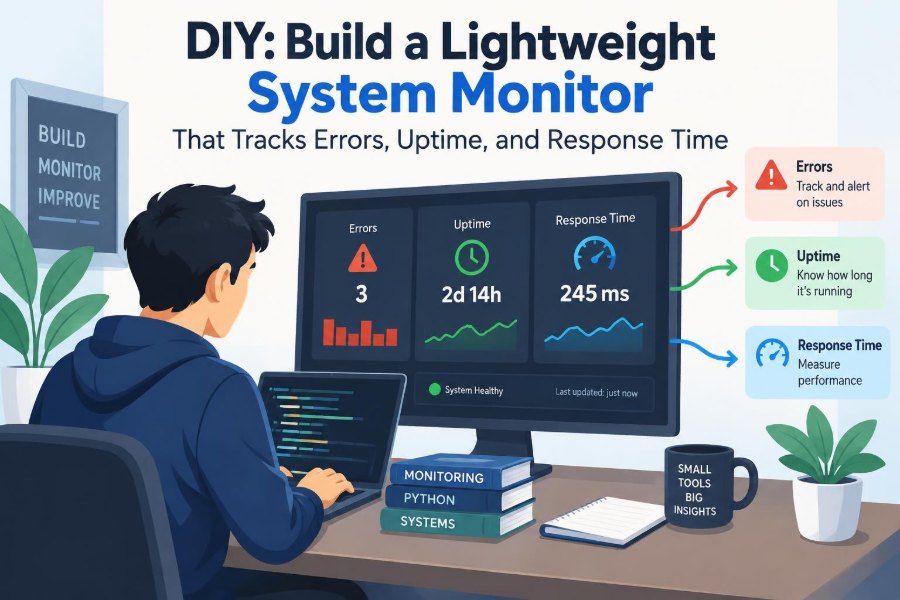
A lightweight system monitor fills that gap. It repeatedly performs a small health check, records the result, and turns raw events into useful signals: errors, availability, and response time.
You do not need a large observability platform to learn these ideas or to protect a modest internal tool. Building a focused monitor is a practical way to understand reliability from the outside in.
🧭 Define the Monitor’s Job Before Writing Code
A monitor should answer a narrow operational question: can this system perform the task users expect right now? That task might be loading an API endpoint, submitting a test request, reading from a database, or resolving a domain name.
Start with one service and one meaningful check. Monitoring every possible metric immediately produces noise, complicated code, and alerts nobody trusts. A useful first version can check one URL every minute and store a timestamp, status, and duration.
Write the intended outcome in plain language. For example: “Alert when the orders API fails three consecutive checks or when its typical response time noticeably worsens.” That sentence becomes a design guide.
🔎 Monitor from the User’s Point of View
Application instrumentation observes what happens inside a process. Synthetic monitoring, the approach used here, behaves more like a client: it sends a request and measures the result from outside the application.
This distinction matters. An application can report that its process is running while a reverse proxy is misconfigured, a certificate has expired, or a database dependency has made requests unusably slow.
A simple external monitor cannot explain every failure. It can, however, detect that the service experience changed. That makes it an excellent first alarm and a valuable complement to internal metrics and structured logs.
🎯 Choose a Health Endpoint Carefully
Many services expose a route such as /health or /status. The route should be cheap to call, safe to repeat, and representative of the capability being monitored.
A shallow health check may only confirm that the web process can answer HTTP requests. A deeper readiness check might also verify a database connection, queue access, or a required third-party dependency. Neither is universally correct.
Use shallow checks when you need to distinguish application availability from dependency trouble. Use deeper checks when a response is not genuinely useful without those dependencies. Document what “healthy” means so future readers do not overinterpret a green result.
📏 Pick Three Signals That Tell a Coherent Story
This monitor focuses on three related signals: errors, uptime, and response time. Together, they reveal more than any one value can.
| Signal | What it answers | Simple measurement |
|---|---|---|
| Errors | Did this check fail? | Failed requests divided by all requests |
| Uptime | How often was the service reachable? | Successful checks divided by all checks |
| Response time | How long did a successful request take? | Elapsed time from request start to completion |
A service may have zero errors but still be frustratingly slow. Conversely, a short outage may barely affect an average latency number. Read the signals together.
⏱️ Measure Response Time at the Right Boundary
For an HTTP monitor, begin timing immediately before sending the request and stop when the response body or the needed portion of it has been received. This captures DNS lookup, connection setup, transport, server processing, and response transfer as experienced by the monitor.
That is not the same as server-side processing time. Both are useful, but they answer different questions. A long external duration could be caused by network conditions, TLS negotiation, a slow server, or an oversized response.
Record durations in milliseconds, using a monotonic high-resolution clock when your runtime provides one. Wall clocks can jump when system time is adjusted, which makes elapsed-time measurements unreliable.
✅ Decide What Counts as Success
Do not assume every HTTP response below 500 is healthy. A 401 may be expected for a protected route, while a 404 probably means the monitor is checking the wrong resource. A 429 may indicate rate limiting, which is still a service-impacting result for some clients.
Define an explicit success policy. For a public health endpoint, success might mean a status from 200 through 299 and a JSON field such as status: ok. Checking response content protects against a server that returns a technically successful but incorrect fallback page.
Keep the policy close to the monitor configuration rather than hiding it in scattered conditionals.
🧱 Keep the First Architecture Small
A lightweight monitor needs only a few parts: a scheduler, a probe that performs the check, durable storage for observations, a summarizer, and an alerting component. These can begin as one process.
The scheduler triggers a probe at a fixed interval. The probe returns a normalized result. Storage preserves the result. A separate calculation determines recent error rate, availability, and latency patterns.
This separation is worth keeping even in a small project. It lets you replace a local file with a database later, test probe behavior without waiting for a schedule, and change notifications without touching network code.
🗂️ Design a Small, Useful Event Record
Store individual observations before storing summaries. A raw event makes it possible to revisit a calculation when your definition of an error or a reporting window changes.
{
  "checkedAt": "2025-03-08T12:00:00Z",
  "target": "orders-api",
  "ok": true,
  "statusCode": 200,
  "durationMs": 184,
  "errorKind": null
}
Add fields only when they support a real decision. Useful optional fields include region, response-size bucket, a short failure message, and a deployment version. Never store credentials, authorization headers, request bodies, or customer data in monitoring events.
💾 Start with Storage You Can Operate
A newline-delimited JSON file is a reasonable learning tool: each line is one event, append operations are simple, and basic scripts can read it. It becomes awkward when multiple processes write concurrently, disk space is limited, or queries grow more frequent.
SQLite is often a strong next step for a single-host monitor. It provides transactions, indexes, and SQL queries without requiring a separate database server. For larger deployments, a relational database or time-series system may fit better.
The best storage choice is not the most fashionable one. It is the one whose failure modes, backups, retention, and access controls you can manage.
🕰️ Schedule Checks Without Creating Load Spikes
A fixed interval is easy to understand: run every 60 seconds, for example. But if many monitors start simultaneously, they can create synchronized traffic bursts. This is sometimes called the thundering herd problem.
Add small random jitter to each scheduled run, especially when monitoring several targets or running multiple instances. Also ensure that a slow check does not overlap endlessly with the next one.
One simple policy is to allow only one active probe per target. If the prior run has not finished, record that condition and skip or delay the next run. Overlapping checks can distort latency and exhaust local connections.
🛑 Set Explicit Timeouts
A request without a timeout can hang long enough to block the monitor itself. Set a connection timeout and an overall request timeout where your HTTP library supports both.
The timeout should reflect the service’s purpose. A fast internal API may deserve a short limit, while a batch-oriented endpoint may require more room. Do not simply use the largest timeout that prevents failures; a monitor that waits too long detects user pain too late.
Treat timeouts as failures in your event data, but distinguish them from HTTP status failures. A timeout often suggests a different investigation path than a clear 503 response.
🌐 Handle Network Failures as First-Class Results
Not every failed probe produces an HTTP status code. DNS resolution can fail, TLS negotiation can fail, a connection can be refused, or the monitor’s own network route can disappear.
Normalize these outcomes into categories such as dns_error, connect_error, tls_error, timeout, and http_error. Exact library exception names are useful in debug logs, but broad categories make dashboards and alerts easier to interpret.
Remember that one monitoring location has its own blind spots. A failure from one host may be a local network issue rather than an outage seen by all users.
📉 Calculate Uptime with a Clear Denominator
In a basic synthetic monitor, uptime over a window is the number of successful checks divided by the total completed checks in that window. If 58 of 60 checks succeed, the observed availability is 58 divided by 60.
This is an estimate based on sampling, not a perfect reconstruction of every second between checks. A one-minute interval can miss a brief outage that begins and ends between probes, while a five-minute interval provides even less resolution.
Label the result honestly as monitor-observed uptime. If a check was deliberately skipped because the monitor was down, do not quietly count it as service uptime.
🧮 Report Errors as Counts and Rates
Error count shows workload impact on the monitor: five failures deserve attention even if the percentage is unclear. Error rate adds context by dividing failures by total attempts during the same period.
Both can mislead if viewed alone. One failure out of one check is a 100% rate but very little evidence. Ten failures out of ten thousand may be a small percentage but still represent a pattern worth investigating.
Display the count, total checks, and rate together. This makes a dashboard readable during quiet periods as well as busy ones.
📊 Avoid the Average-Latency Trap
An arithmetic average can hide the experience of slow requests. Imagine nine checks taking 100 milliseconds and one taking 5,000 milliseconds. The average rises, but it does not show that one request was dramatically slower than normal.
For a small monitor, retain individual durations and show a recent minimum, median, and maximum. As data volume grows, percentiles become more useful. A p95 value means that 95% of measured requests were at or below that duration during the chosen window.
Percentiles need enough observations to be meaningful. With sparse checks, show the raw count alongside any percentile rather than treating it as a precise promise.
📈 Establish a Baseline Before Choosing Alerts
A threshold that seems sensible on paper can be wrong for a real service. A nightly report endpoint may naturally run slower during a known processing period, while a public API may have stable latency around the clock.
Collect observations first and look for normal patterns by time of day, deployment cycle, and target. Then set thresholds that identify meaningful deviation rather than routine variation.
A baseline is not permanent. Product changes, new dependencies, and traffic shifts can alter normal behavior. Review alert thresholds when the system’s expected behavior changes.
🚨 Alert on Sustained Symptoms, Not Single Blips
Transient packet loss and short dependency hiccups happen. Paging on every individual failed check creates alert fatigue: people learn that alerts often resolve before anyone can act.
A practical first policy might alert after three consecutive failures, or when error rate exceeds a chosen level across a short window with enough samples. Recovery alerts matter too; they tell responders that a symptom stopped and establish an incident timeline.
For latency, require several slow observations rather than one outlier. The exact rule should match the service’s risk and the team’s ability to respond.
🔔 Make Notifications Actionable
An alert should identify the target, observed symptom, time, and a direct next step. “Monitor failure” is less useful than “orders-api: three consecutive timeouts; last successful check was at 12:04 UTC.”
Include a compact context window when possible: recent status codes, current duration, and a dashboard or log location. Avoid placing secrets, personal information, or full response bodies in notification channels.
Route lower-severity signals to a dashboard or team channel and reserve urgent channels for conditions needing prompt human action. The notification path is part of the monitor’s design, not an afterthought.
🔄 Use Retries Sparingly and Transparently
A retry can reduce false alarms caused by a momentary network problem. It can also hide a real intermittent failure that users experience on their first attempt.
If you retry, record every attempt or at least record that a retry occurred. Use a small bounded number of retries with a delay, rather than immediately sending repeated requests. Never retry an operation that changes state unless the endpoint is explicitly designed to be idempotent, meaning repeated calls have the same intended effect.
For a read-only health endpoint, one retry may be reasonable. For a purchase endpoint, a synthetic monitor should generally not send production-like writes at all.
🔐 Treat the Monitor as Production Infrastructure
A monitor often needs network access and may need authentication to reach internal services. Store secrets in an appropriate secret manager or protected runtime configuration, not in source code or event files.
Give it the least privilege necessary. A dedicated read-only account or token is safer than reusing an administrator credential. Restrict who can edit targets and alert destinations, because changing either can conceal an outage or direct sensitive operational information elsewhere.
Also secure the monitoring host. A compromised monitor can become a pivot point into systems it was trusted to observe.
🧪 Test Failure Paths on Purpose
Happy-path tests prove little about a monitoring system. Deliberately test a refused connection, a DNS error, a timeout, an unexpected response body, a 500 response, a slow response, and a storage write failure.
Use a local test server or a controlled staging service to generate these conditions. Do not cause outages in production merely to validate an alert unless your organization has an approved, carefully managed resilience-testing practice.
Test the recovery path too. A monitor that reports failure but never reports recovery leaves responders uncertain whether the service improved or the monitor itself stopped running.
🪵 Keep Logs Separate from Metrics Events
Event records support calculations: how many checks failed, how long they took, and when. Logs support diagnosis: which exception occurred, which configuration was loaded, and why a database write failed.
Keep both, but do not turn every detailed debug message into a metric label. High-cardinality labels—values with many unique possibilities, such as full URLs containing IDs or raw exception text—can make metric systems expensive and difficult to query.
Use stable target names and bounded error categories in measurements. Put variable detail in logs with timestamps that let you correlate the two.
🧹 Plan Retention and Data Aggregation
Raw one-minute checks accumulate steadily. Decide how long you need detailed events for debugging and how long you need summarized data for trend analysis.
A common pattern is to retain raw observations for a shorter period, then aggregate older data into hourly or daily counts, availability ratios, and latency summaries. The correct period depends on your storage budget, compliance requirements, and incident-review needs.
Aggregation loses detail, so do not delete raw data before confirming that summaries answer the questions you expect to ask. Back up the monitor’s own data and configuration; monitoring history is valuable during post-incident analysis.
🖥️ Build a Dashboard for Decisions, Not Decoration
A useful dashboard answers: Is the service currently healthy? When did behavior change? Which failure mode is occurring? Keep the most recent status prominent, then show a recent availability window, error categories, and latency over time.
Annotate deployments or planned maintenance when possible. Otherwise, a normal restart can look identical to an unexplained outage. An annotation does not excuse a failure, but it gives responders context.
Start with a plain HTML report, terminal summary, or simple charting tool. Sophisticated visualizations are optional; clear timestamps and understandable labels are not.
🌍 Add Multiple Locations When One View Is Not Enough
A single monitor tells you what one machine can observe. That is sufficient for many internal tools, but public services may need checks from more than one network or geographic region.
Multiple locations help distinguish a broad service failure from a regional routing issue or an outage in the monitor’s own environment. They also introduce complexity: clock synchronization, duplicate alerts, higher traffic, and more credentials to manage.
Do not assume that more locations automatically create better monitoring. Add them when the service audience, reliability requirements, and response process justify the operational cost.
⚠️ Recognize What a Lightweight Monitor Cannot Prove
A successful health request does not prove that every user journey works, every background job runs, or every customer can access the service. It samples a specific path from a specific environment.
Likewise, an external timeout does not conclusively prove the server is at fault. The monitor may be affected by local DNS, routing, firewall rules, or resource exhaustion.
Use this tool as one signal in a broader reliability practice. Pair it with application logs, infrastructure metrics, tracing where appropriate, backups, runbooks, and carefully selected business-level checks.
🛠️ A Practical Build Sequence
Resist the urge to build the dashboard and alert integrations first. A reliable foundation comes from getting measurement and persistence correct before adding presentation.
- Choose one target and define its success criteria.
- Write a probe with timing, timeouts, and normalized errors.
- Persist one event per completed check.
- Schedule the probe with jitter and overlap protection.
- Calculate recent availability, errors, and latency summaries.
- Add a simple status view, then sustained-condition alerts.
- Test failures, recovery, storage exhaustion, and monitor restarts.
At each step, inspect actual events. Small discrepancies in timestamps, status handling, and timeout behavior become much harder to fix after alerts depend on them.
🧰 Keep a Runbook Beside the Alerts
A runbook is a short operational guide describing what to check when an alert fires. It should name the target, explain the alert condition, list safe first diagnostic steps, and identify escalation paths.
For example, a timeout alert might direct responders to compare other targets, inspect recent deployments, review dependency status, and check whether the monitoring host itself has network problems. These are prompts for investigation, not universal conclusions.
Update the runbook after real incidents. If responders repeatedly need a command, dashboard, or decision rule, make it easier to find next time.
🧠 The Core Principle: Measure What You Can Act On
The strongest lightweight monitor is not the one with the most charts. It is the one that produces trustworthy evidence when a person needs to decide whether to investigate, communicate, mitigate, or wait.
Measure a meaningful path, define success precisely, preserve raw observations, and alert on sustained changes. Be candid about sampling limits and ensure the monitor itself is secure, tested, and maintained.
As systems grow, you can add richer telemetry and more sophisticated tooling. The discipline remains the same: make service behavior visible in a form that supports calm, informed action.
A small monitor becomes valuable when its signals are clear enough to turn uncertainty into a specific next step. Build the smallest version that can earn that trust, then improve it from real operational experience. ⚙️📈🔍