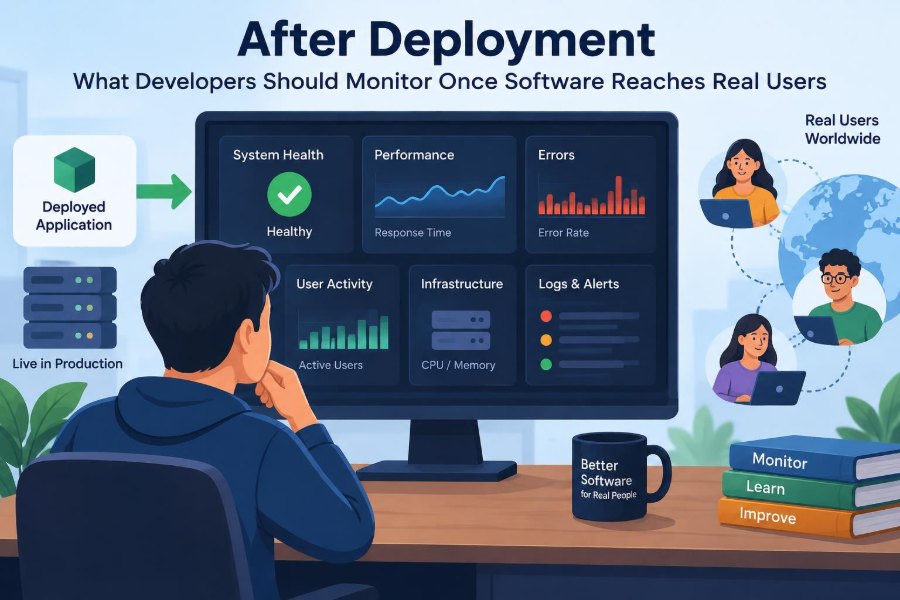

The deployment has completed. The dashboard is green, the release announcement is posted, and the team can finally breathe. Then a customer reports that checkout froze halfway through an order. A few minutes later, support notices that password-reset emails are arriving late.
Nothing necessarily looked wrong in staging. Real users, however, bring real data volumes, slower devices, unreliable networks, unexpected workflows, and integrations that do not behave like test doubles.
Deployment is not the end of engineering work. It is the moment a system begins producing evidence about how it behaves under actual conditions.
Good post-deployment monitoring turns that evidence into useful action. It helps teams detect failures early, understand user impact, protect data, and improve the next release without drowning in dashboards and alerts.
🚀 Production Is a Different Environment
Production differs from development and testing in ways that are easy to underestimate. It has real account histories, uneven traffic patterns, third-party dependencies, browser variations, and users who may take paths no product specification anticipated.
A feature can be functionally correct in a controlled test and still fail operationally. For example, a report may generate correctly with a small sample dataset but time out when a customer has years of records. Monitoring closes the gap between what the software was designed to do and what it actually does at scale.
🎯 Start With User-Centered Outcomes
The first question is not “Which graph should we display?” It is “What must work for users to accomplish their goal?” A banking application may prioritize successful transfers; a learning platform may prioritize access to lessons; an internal tool may prioritize reliable data entry.
These outcomes become the basis for meaningful monitoring. CPU utilization matters when it contributes to slow or failed user actions, but it is rarely the outcome users care about directly.
- Can users sign in?
- Can they complete the central workflow?
- Do they receive correct results and confirmations?
- Can support and engineering detect when those answers change?
🧭 Define Service Indicators Before Choosing Tools
A service level indicator, often shortened to SLI, is a measurable signal about service behavior. Examples include the proportion of requests completed successfully, the time required to load a page, or the rate at which jobs finish before a deadline.
An SLI is not automatically a promise to customers. It is a measurement. Teams can later use it to establish a service level objective, or SLO, such as keeping a critical operation successful and responsive over a chosen period.
Defining the signal first prevents a common mistake: collecting whatever a monitoring product makes easy to collect rather than what describes service quality.
📈 Measure Availability as Users Experience It
Availability is often reduced to whether a server responds to a health check. That check is useful, but it can be misleading. A web server can return an HTTP success response while the database connection is broken and users cannot save anything.
Monitor important transactions as well as infrastructure health. A synthetic check, meaning an automated request that imitates a user action, might sign in with a test account and load a protected page. It should use carefully isolated test data and avoid creating misleading business records.
Availability also needs context. A brief failure in an optional settings screen has a different impact from a failure during payment submission.
⏱️ Track Latency, Not Just Whether Requests Finish
Latency is the time between a request and a response. A page that eventually loads can still be unusable if it takes long enough for users to abandon the task or retry it repeatedly.
Look beyond averages. An average can hide a frustrating minority of very slow requests. Percentiles show the distribution more clearly: a high percentile describes the experience of users near the slow end without letting one unusual request define the entire picture.
Separate client-perceived timing from server processing time where possible. A slow experience might come from a database query, a large frontend bundle, a distant network connection, or all three.
❌ Watch Error Rates and Error Shape
An error rate tells a team how often an operation fails, but error categories explain where to investigate. Group failures by endpoint, operation, status code, exception class, release version, tenant, or dependency when those dimensions are available.
A sudden rise in validation errors after a form change may indicate a confusing interface or an incompatible client. A rise in server errors could indicate an application defect, exhausted capacity, or a downstream outage.
Do not treat every error identically. Expected invalid input should be observable but usually should not page an engineer. Unexpected failures in a critical path deserve much more attention.
🧩 Distinguish Client Errors From Server Failures
HTTP response classes provide a useful first distinction. Many 4xx responses mean the request could not be accepted as sent: an expired session, missing permission, invalid field, or unsupported client behavior. Many 5xx responses indicate that the server or one of its dependencies failed while handling a valid request.
That distinction has limits. A poorly designed API may return the wrong class, and a sudden rise in 401 or 403 responses can signal a broken authentication rollout rather than ordinary user behavior.
Use status codes as clues, then pair them with logs, traces, release timing, and affected-user reports before deciding on a cause.
🖥️ Monitor Frontend Failures Too
Server monitoring cannot reveal every broken experience. JavaScript exceptions, rendering failures, unhandled promise rejections, failed asset downloads, and browser-specific issues happen on the client side.
Real user monitoring can collect anonymized performance and error signals from actual browsers. It is especially useful for discovering that a feature works on a developer laptop but fails on an older browser, a low-memory mobile device, or a slow connection.
Be deliberate about privacy. Client telemetry should avoid collecting form contents, tokens, personal identifiers, or other sensitive material unless there is a justified and protected reason to do so.
📱 Break Down Experience by Device and Network
A single global latency number can conceal important differences. Mobile users may face slower networks; users in distant regions may experience additional round trips; a particular operating system version may have a compatibility problem.
Segment dashboards by dimensions that can lead to action: platform, application version, region, route, network category, or release cohort. Avoid indiscriminate segmentation, which creates a maze of tiny datasets and makes trends harder to see.
The goal is not to inspect every combination. It is to identify whether a problem is broad, localized, or tied to a specific group of users.
🗃️ Observe Database Health and Query Behavior
Databases often become visible only when they are slow, yet their early warning signs can appear long before an outage. Monitor connection usage, query latency, lock waits, replication delay where relevant, storage pressure, and failed queries.
A deployment might introduce a query that works on a small table but performs poorly as data grows. Slow-query analysis can expose expensive joins, missing indexes, or queries that fetch far more data than the page needs.
Database metrics require interpretation. High utilization is not inherently a failure; sustained saturation combined with increasing request latency and timeouts is a much stronger signal of user risk.
🔗 Treat Dependencies as Part of the Service
Most applications depend on more than their own code: payment providers, identity services, email platforms, maps, analytics APIs, queues, caches, and cloud services. When one becomes slow or unavailable, users still experience the application as failing.
Track dependency latency, timeout rates, response classes, and fallback behavior. A dependency dashboard should answer whether trouble began inside the application or downstream of it.
Where practical, set explicit timeouts, retries with limits, and graceful degradation. Retrying every failure immediately can amplify load on an already struggling dependency.
🧵 Use Distributed Tracing for Multi-Service Requests
A distributed trace follows one request as it crosses services and dependencies. Each timed segment, called a span, can show where time was spent and where an error originated.
Tracing is particularly valuable in systems with APIs, worker processes, gateways, and multiple services. Without it, an engineer may see a slow checkout request but have little indication whether the delay occurred in inventory, tax calculation, payment, or a database call.
Trace sampling is often necessary because recording every request can be costly. Preserve enough detail for errors and unusually slow requests, and document what is sampled so teams understand the limits of the evidence.
📜 Keep Logs Structured and Searchable
Logs record discrete events: an exception, a failed login, a state transition, or a message-processing outcome. They are most useful when entries are structured rather than written as inconsistent prose.
Include fields such as timestamp, severity, service name, deployment version, request or correlation ID, and safe error context. A correlation ID lets engineers connect events from different components that handled the same operation.
Never use logs as a dumping ground for secrets. Passwords, access tokens, payment details, and unnecessary personal data can create serious security and compliance problems when copied into broad logging systems.
🔍 Build Metrics, Logs, and Traces to Work Together
These observability signals answer different questions. Metrics show that a trend exists, logs provide event-level context, and traces reveal a request’s path. Used together, they shorten diagnosis.
| Signal | Best for | Typical question |
|---|---|---|
| Metrics | Trends and alerting | Did failure rate increase after release? |
| Logs | Detailed events | What exception occurred for this request? |
| Traces | Request flow | Which service made this transaction slow? |
A dashboard full of disconnected graphs is less useful than a workflow that lets an engineer move from an alert to a metric, then to a trace or relevant log entries.
🛎️ Design Alerts Around Actionable Symptoms
An alert should mean that someone needs to investigate or act. Alerts based on direct user impact, such as sustained failed checkouts or a critical workflow becoming unavailable, are usually more valuable than alerts for every unusual machine metric.
Include a concise alert description, affected service, severity, relevant dashboard, and immediate diagnostic hints. The person receiving it may be unfamiliar with the system or awake at an inconvenient hour.
Not every signal needs a notification. Many belong on dashboards for routine review or as tickets for planned work rather than as urgent pages.
🔕 Prevent Alert Fatigue
Alert fatigue occurs when people receive so many low-value notifications that urgent ones are ignored, muted, or lost in noise. This is not an individual discipline problem; it is a monitoring design problem.
Review alerts that did not require action. Tune thresholds, remove duplicates, group related symptoms, and route notifications to the team able to respond. A database outage should not create separate high-priority pages from every application instance if one clear incident alert can represent the same problem.
A quieter alerting system can be safer because responders are more likely to trust and act on it.
🧯 Connect Alerts to Runbooks
A runbook is a practical guide for responding to a known operational situation. It does not need to predict every incident, but it should reduce avoidable guesswork.
For a queue backlog alert, a useful runbook might explain how to verify consumer health, inspect failed messages safely, check dependency status, and decide when to scale processing or pause incoming work. It should also state what actions are risky.
Keep runbooks near the alerting and operational tools, and update them after incidents. A stale runbook that recommends a retired command or obsolete architecture can waste critical time.
📦 Watch Background Jobs and Queues
Many user-facing actions finish asynchronously. An order confirmation, image conversion, report generation, data import, or notification may enter a queue and be processed later. A successful initial request does not guarantee the work was completed.
Monitor queue depth, oldest-message age, processing rate, retry volume, dead-letter queues, and job failure reasons. A growing backlog may signal insufficient workers, a slow dependency, poison messages that repeatedly fail, or a release that changed message compatibility.
Measure completion from the business perspective when possible: not merely “job accepted,” but “report delivered” or “confirmation sent.”
💳 Verify Business Transactions and Data Integrity
Technical health does not always equal business correctness. A payment request could return successfully while an internal order remains stuck in a pending state. A synchronization job could run without errors while silently skipping records due to a mapping change.
Use reconciliation checks for high-value workflows. For example, compare accepted payments with created orders, or compare imported records with source totals. These checks should be designed carefully to avoid exposing sensitive financial or customer data in broad dashboards.
Some discrepancies are expected temporarily in eventual-consistency designs. Monitoring should account for the allowed delay before treating a mismatch as an incident.
🔐 Monitor Security Signals Without Collecting Secrets
Post-deployment monitoring also supports security operations. Watch for unusual authentication failures, permission-denied spikes, sudden token validation errors, unexpected administrative actions, suspicious request patterns, and changes to audit-relevant configurations.
Security telemetry needs both restraint and protection. Logging raw authorization headers or personal records makes investigation easier in the short term but creates a larger exposure if logs are accessed improperly.
Set retention rules, access controls, and redaction practices deliberately. Monitoring data is production data and deserves comparable care.
🧪 Compare Releases With Baselines
A baseline is a picture of normal behavior before a change: typical latency, traffic, error patterns, queue depth, and resource demand for a comparable period. Without one, teams can see a number but may not know whether it is unusual.
Compare behavior before and after a release, while accounting for normal cycles such as business hours, scheduled jobs, or marketing campaigns. A traffic increase after launch may be success rather than a defect; the key is whether capacity and user outcomes remain healthy.
Release version should be attached to relevant telemetry so a regression can be connected to a deployable artifact rather than guessed from timing alone.
🚦 Use Gradual Rollouts to Limit Blast Radius
A gradual rollout exposes a change to a limited portion of traffic before it reaches everyone. Depending on the system, this can involve a canary deployment, a small regional release, or a feature flag that enables functionality for a selected group.
Monitoring determines whether the rollout can advance. Compare error rates, latency, business completion, and client failures between the new and existing versions. Differences deserve investigation, even if the overall service still appears healthy.
Gradual delivery adds operational complexity, including version compatibility and careful cohort selection. For high-risk changes, that complexity is often justified by a smaller potential blast radius.
↩️ Know When and How to Roll Back
A rollback is not a sign of failure by itself; it is a risk-control mechanism. Teams should decide in advance which signals justify reverting a release, who can make that decision, and whether a database change makes reversal difficult.
Not every incident is fixed by rolling back. A problem may come from a dependency, data migration, configuration, or traffic surge. Still, if a new version clearly harms a critical workflow, restoring known-good behavior can be preferable to debugging under full impact.
Practice rollback procedures. A plan that exists only in a document may fail when permissions, migration order, or automated deployment behavior differs from assumptions.
👥 Include Support Reports as Operational Evidence
Users and support staff often detect issues that automated monitoring does not yet represent: confusing messages, intermittent failures, incorrect results, accessibility barriers, or workflows that technically succeed but feel broken.
Create a path for support observations to reach engineering with useful context: approximate time, affected action, client version, non-sensitive identifiers, screenshots with redaction when appropriate, and expected versus actual behavior.
Support reports are not merely anecdotal noise. They can reveal missing service indicators and teach teams which user outcomes their existing dashboards fail to measure.
🧠 Review Incidents for Learning, Not Blame
After a meaningful incident, review what happened, how it was detected, what increased impact, what helped recovery, and which system changes would make recurrence less likely. The purpose is to improve the system, tooling, and decisions under real constraints.
A useful review distinguishes facts from assumptions. It may identify that an alert was late, a dashboard lacked a key breakdown, a feature flag was unavailable, or a deployment procedure made recovery slow.
Blame discourages people from surfacing weak signals. Learning-oriented reviews make future monitoring more honest and more effective.
📊 Make Dashboards Answer Operational Questions
Dashboards should support decisions, not demonstrate that data exists. A service overview might show traffic, success rate, latency, dependency health, current release, and key business completion signals. A database dashboard should focus on the questions database responders need.
Organize dashboards by audience and task. Executives may need a high-level view of customer impact; on-call engineers need diagnostic depth; feature teams need behavior for their owned workflows.
Remove abandoned panels and label units clearly. A graph without a definition, time window, or meaningful threshold creates false confidence rather than understanding.
💰 Balance Observability Cost and Coverage
Metrics, logs, traces, storage, indexing, and long retention all carry costs in money, performance, and operational attention. Capturing every event at maximum detail is rarely necessary or sustainable.
Prioritize critical workflows, security-relevant events, error cases, and high-value diagnostic dimensions. Apply sampling thoughtfully, reduce noisy logs, and set retention according to operational and organizational needs.
Cost reduction should not mean blind operation. The practical aim is enough trustworthy evidence to detect, diagnose, and improve important failures.
🧰 Establish Ownership for Every Signal
Monitoring decays when nobody owns it. Alerts continue paging the wrong team, dashboards refer to retired services, and new features launch without meaningful telemetry.
For each production service, identify who owns reliability indicators, alert quality, dashboards, runbooks, and the response to known failure modes. Ownership does not mean one person works alone; it means responsibility is visible.
Include observability in normal engineering work. A feature is not fully operational when it can only be understood by manually reading source code after it fails.
🌱 Build Monitoring Into the Development Lifecycle
The strongest monitoring practice begins before deployment. During design, identify critical user journeys, dependencies, failure modes, privacy constraints, and signals that would show whether the feature is healthy.
During implementation, add structured logs, metrics, trace context, and safe error handling. During review, ask whether a future on-call engineer could tell that the feature is failing and find a likely cause. After release, refine the signals using real behavior.
This approach avoids the rushed pattern of adding a generic dashboard only after an incident has already exposed a blind spot.
🧭 Focus on Feedback, Not Perfect Visibility
No team can observe every internal state or predict every production failure. Instrumentation has gaps, user behavior changes, and distributed systems produce ambiguity. The goal is not omniscience.
The goal is a reliable feedback loop: detect meaningful degradation, understand its likely scope and cause, respond safely, learn from the event, and improve both the product and its observability.
That loop connects technical measures to people’s actual experience. It turns production from a mysterious final destination into an environment where software can be operated responsibly.
🏁 The Core Principle After Release
Monitor what users are trying to accomplish, then connect those outcomes to the technical signals that explain them. Availability, latency, errors, client behavior, dependencies, jobs, data correctness, security events, and release comparisons each reveal a different part of the operational picture.
Choose signals that lead to action, protect the data collected, keep alerts credible, and treat incidents as opportunities to strengthen the system. A small set of well-understood measures is more valuable than a vast collection no one consults.
Production monitoring is ultimately an engineering promise: when real people rely on the software, the team will have a practical way to notice trouble, investigate it, and make the service better.
Deployment delivers software to users; monitoring keeps developers connected to the consequences of that delivery. That connection is where reliable systems are built, one observable improvement at a time. ⚙️📈🛠️