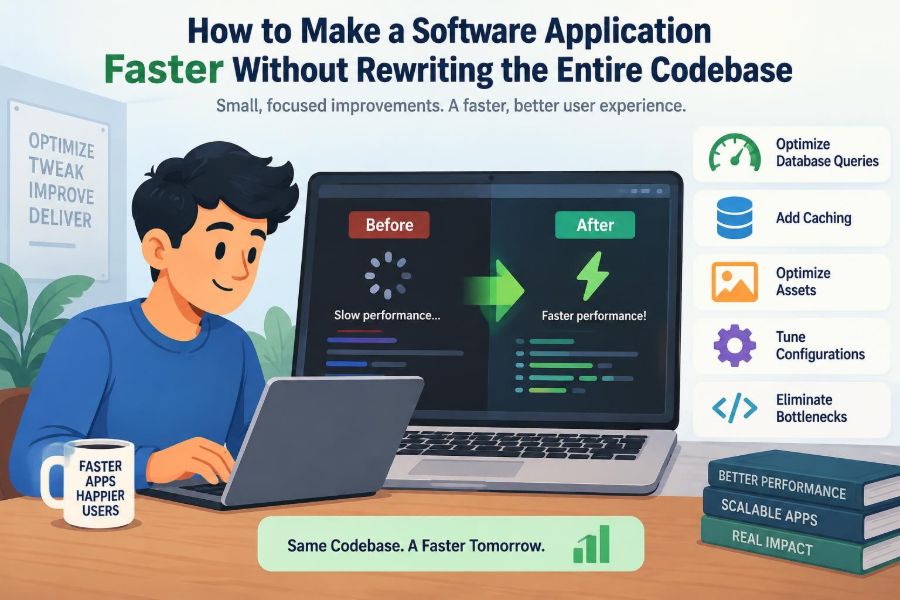

A customer opens your application, taps a button, and waits. Nothing is technically broken, but the pause is long enough to make the product feel unreliable. The usual reaction is, “We need to rebuild this.”
Sometimes a redesign is necessary. Much more often, though, slow software is not one giant architectural failure. It is a small number of expensive operations repeated at the wrong time: an unindexed database query, an oversized response, a blocked UI thread, or a request that calls the same service three times.
That distinction matters for students maintaining coursework and professionals responsible for production systems. A rewrite is costly, risky, and hard to validate. Targeted performance work can improve the user experience while preserving behavior that already works.
The goal is not to make every line of code “fast.” It is to find the parts that determine what users actually wait for, measure them honestly, and improve them in safe increments.
🎯 Define What “Faster” Means for This Application
Performance is not a single number. A dashboard may need faster first render; a payroll job may need to finish before morning; an API may need steadier response times under load. Start with a user-visible outcome.
Useful measures include page load time, time until an interaction responds, API latency, job duration, memory use, and throughput. Choose a small set tied to real workflows rather than collecting every metric available.
👥 Start With the Slowest User Journey
Do not begin with code that merely looks inefficient. Identify a journey people use and notice: signing in, searching, checking out, uploading a document, or opening a report.
Write the journey as steps. For example: “open orders, filter by customer, view details.” This creates a concrete test case and prevents a local optimization from being mistaken for an improvement to the whole experience.
📏 Establish a Baseline Before Changing Anything
Measure the current behavior under conditions that resemble normal use. Record representative request durations, database timings, payload sizes, resource consumption, and error rates.
A baseline is your control group. Without it, a change may feel faster on one laptop while making production slower, or improving an average while worsening the slowest requests.
⏱️ Look Beyond the Average Response Time
Averages can hide painful outliers. If nine requests finish quickly and one takes much longer, the mean may look acceptable even though one in ten users has a poor experience.
Inspect the distribution: typical requests, slow requests, and the worst tail that matters to your service objective. Also separate server processing time from network transfer and browser rendering time.
🔍 Profile Before You Optimize
A profiler shows where a program spends time, allocates memory, waits on input/output, or blocks other work. Tracing tools can follow one request through services, queues, caches, and databases.
Profile the running system, not your intuition. A nested loop may be harmless on small inputs, while a seemingly simple logging call or serialization step may dominate a high-traffic endpoint.
🗺️ Map the Request Path End to End
A slow action usually crosses several boundaries: browser or mobile app, gateway, application code, database, cache, file storage, and perhaps external APIs. A timing breakdown makes the bottleneck visible.
Give each request a correlation ID and include it in structured logs and traces where possible. This lets a team connect a slow page to a particular database query or dependency call rather than guessing.
🧱 Separate CPU Work From Waiting Work
CPU-bound work consumes processor time: image processing, encryption, complex calculations, compression, or inefficient parsing. I/O-bound work waits for databases, disks, networks, and remote services.
The fixes differ. CPU pressure may call for a better algorithm or moving heavy work off the request path. I/O delays may call for fewer round trips, concurrency, caching, or a faster dependency.
🗃️ Find Expensive Database Queries
Databases are frequently blamed, and often correctly, but “the database is slow” is not a diagnosis. Capture the actual query, its parameters, execution plan, rows examined, rows returned, and frequency.
A query that takes a modest amount of time once may become the main cost when it runs hundreds of times per page. Look especially at list views, searches, background jobs, and administrative reports.
📚 Add Indexes With a Query in Mind
An index is a data structure that helps a database locate rows without scanning an entire table. It can greatly improve filtering, joining, sorting, and lookup operations when it matches the query pattern.
Indexes are not free. They consume storage and can slow inserts, updates, and deletes because the index must also be maintained. Add them to support observed queries, verify plans afterward, and remove redundant ones carefully.
🔁 Eliminate the N+1 Query Pattern
The N+1 pattern occurs when an application loads one collection and then issues another query for each item. A page showing 50 orders might execute one query for orders and 50 more for customers or line items.
Use joins, eager loading, batch retrieval, or a purpose-built read query where appropriate. The right choice depends on data size: loading every related record eagerly can create a different problem if relationships are large.
📄 Return Only the Data the Screen Needs
Sending complete database entities to the client is convenient, but it often exposes unused fields, large nested objects, and unnecessary serialization work. A compact response reaches the user faster and uses less memory.
Create endpoint-specific data transfer objects or projections. A search result may need an ID, title, status, and thumbnail—not audit history, internal notes, and every associated object.
🧮 Paginate Large Collections
Loading thousands of records because a screen might eventually need them increases query time, response size, browser work, and memory pressure. Pagination sets a deliberate limit on each request.
For changing datasets, cursor-based pagination can be more stable and efficient than large page offsets. Whatever method you choose, make sorting explicit so users do not see inconsistent or duplicated results.
💾 Cache Repeatedly Requested Results
Caching stores the result of expensive work so later requests can reuse it. Good candidates include configuration, catalog data, rendered fragments, computed summaries, and responses from slow but stable services.
Cache at the narrowest useful layer: browser, content delivery network, application memory, distributed cache, or database. The closer a cache is to the user, the more work it can avoid, but the harder invalidation may become.
🧊 Treat Cache Invalidation as a Design Problem
A stale cache can be worse than a slow page when it shows an incorrect account balance, price, permission, or inventory state. Decide what may be stale, for how long, and what event refreshes or removes it.
Use clear keys, bounded time-to-live values, and explicit invalidation for critical updates. Monitor cache hit rate, but do not chase it blindly; a high hit rate is meaningless if cached data is wrong or too expensive to maintain.
🌐 Reduce Network Round Trips
Each request has overhead: connection setup, headers, latency, server processing, and response transfer. A page assembled from many sequential requests can feel slow even when each endpoint is individually quick.
Combine tightly related data when doing so matches the screen’s needs, remove duplicate calls, and request independent resources in parallel. Avoid one oversized “everything” endpoint that forces every client to download data it does not use.
📦 Shrink Front-End Assets and Payloads
Large JavaScript bundles, images, fonts, and JSON responses delay the first useful screen, especially on constrained networks. Measure transferred bytes and the time the device spends parsing and executing code.
Compress text-based responses, serve appropriately sized images, remove unused dependencies, and split code so rarely used features load when needed. Test on representative devices; a powerful development machine can hide costly client work.
🖥️ Keep the User Interface Thread Available
In many client applications, a main thread handles input, layout, painting, and JavaScript execution. Long synchronous work blocks taps, scrolling, typing, and visual updates.
Break expensive work into smaller tasks, defer nonessential calculations, use background workers where the platform supports them, and avoid repeated layout measurements during rendering. Perceived speed improves when the interface acknowledges an action promptly.
⚡ Debounce, Throttle, and Cancel Noisy Requests
A search field can send a request for every keystroke; an infinite-scroll view can fire overlapping requests; a resize event can trigger repeated expensive calculations. These are common sources of avoidable load.
Debouncing waits briefly until activity stops. Throttling limits how often an action runs. Cancellation prevents obsolete requests from completing work that no longer matters, such as results for a query the user has already changed.
🧵 Use Concurrency Carefully
If a request needs independent data from two services, fetching them concurrently can reduce total waiting time. Sequential calls take roughly the sum of their waits; concurrent calls can approach the duration of the slower dependency.
More parallelism is not automatically better. Unbounded concurrency can exhaust connection pools, overload dependencies, increase contention, and make failures cascade. Set limits and measure the effect under load.
🚚 Move Noncritical Work Off the Request Path
Some tasks do not need to finish before a user sees confirmation: sending email, generating a preview, updating analytics, recalculating recommendations, or notifying another system.
A queue lets the application acknowledge the primary action and process secondary work asynchronously. Design workers to retry safely, record failures, and tolerate duplicate delivery; many queue systems provide at-least-once delivery rather than exactly-once execution.
🧠 Reduce Repeated Computation
Look for work performed repeatedly with the same inputs: parsing a template, calculating a permission matrix, formatting a report, compiling a regular expression, or building an expensive lookup structure.
Memoization and precomputation can help when results are reusable and inputs are stable. Be cautious with user-specific or mutable data, where a reused result may be incorrect or leak information across requests.
🧹 Control Memory Allocation and Garbage Collection
Applications that rapidly create short-lived objects may spend noticeable time reclaiming memory. Large in-memory collections also raise the risk of pauses, swapping, or process termination under pressure.
Use streaming for large files, process records in batches, avoid copying large payloads unnecessarily, and retain only data that is genuinely needed. A memory profile is more reliable than trying to infer allocation behavior from source code alone.
🪵 Make Logging Useful, Not Expensive
Logs are essential for diagnosis, but synchronous writes, excessive debug output, and serializing huge objects can slow hot paths. Logging sensitive payloads also creates security and compliance risks.
Log structured, actionable context such as request IDs, durations, operation names, and safe error details. Sample high-volume events when appropriate, and ensure logging failures do not take down the primary service.
🔌 Protect the Application From Slow Dependencies
Your application can be healthy while an email provider, payment service, identity provider, or internal API becomes slow. Without limits, waiting requests accumulate and consume threads, sockets, and memory.
Set timeouts deliberately, use bounded retries with backoff, and consider circuit breakers that temporarily stop calls to a failing dependency. Offer a fallback only when it preserves correct behavior; silently accepting a payment you cannot verify is not a safe fallback.
🧪 Test Under Realistic Load and Data Sizes
A feature that is quick with ten records and one user may degrade sharply with millions of records, concurrent sessions, or real network latency. Performance tests should include realistic data shape, not only realistic record counts.
Run load tests in an environment that resembles production as closely as practical. Watch response time, error rate, saturation of CPU and memory, database connections, queue depth, and dependency behavior together.
📈 Monitor After the Improvement Ships
Performance changes can alter traffic patterns and reveal new bottlenecks. A cache may reduce database load but shift pressure to memory; batching may improve throughput but increase individual request latency.
Deploy gradually when your process allows it. Compare the agreed metric with the baseline, watch errors and resource use, and keep a rollback path. Production monitoring turns optimization from a one-time project into ongoing maintenance.
🛡️ Preserve Correctness, Security, and Accessibility
Fast software that returns stale permissions, skips validation, loses events, or becomes inaccessible is not a successful optimization. Performance work changes timing and resource use, which can expose race conditions and assumptions.
Review caching boundaries, authorization checks, transaction behavior, error handling, and keyboard or assistive-technology interactions. Test degraded conditions too: slow networks, partial failures, retries, and large inputs.
🧰 Choose Small, Reversible Changes First
A targeted index, query projection, response compression setting, cache entry, or removed duplicate request is easier to review and reverse than a broad rewrite. Small changes also make cause and effect easier to understand.
Keep each improvement narrowly scoped, document the hypothesis, and record the measured result. If a change does not help, revert it and move to the next bottleneck rather than defending the idea.
🚫 Avoid Common Optimization Traps
Premature optimization adds complexity before a bottleneck exists. The opposite trap is treating every slow experience as an excuse to replace a framework, database, or language.
- Do not optimize only local benchmarks while ignoring end-to-end latency.
- Do not cache data without an ownership and invalidation plan.
- Do not increase timeouts to disguise a dependency problem.
- Do not run more workers or servers before finding the saturated resource.
- Do not treat micro-optimizations as a substitute for better query and data-flow design.
🧭 Know When a Rewrite Really Is Justified
Incremental tuning has limits. A rewrite or major redesign may be warranted when the system cannot meet essential requirements because of fundamental constraints: unsupported infrastructure, an unsafe security model, an unmaintainable deployment path, or an architecture that prevents necessary scaling.
Even then, the investigation is valuable. Measurements reveal which behaviors the replacement must preserve and which performance goals it must meet. A rewrite without those facts can reproduce the same bottlenecks in newer code.
🏁 Build a Repeatable Performance Practice
The durable skill is not knowing one cache library or database command. It is following a loop: identify a user-facing symptom, measure it, locate the limiting resource, make one safe change, verify the result, and monitor it over time.
The fastest path to a faster application is usually evidence-driven improvement at the bottleneck, not a wholesale rewrite. That approach protects working behavior while making performance engineering understandable, reviewable, and repeatable.
Start with one frustrating workflow and one trustworthy measurement. Small, well-observed improvements compound into software that feels calmer, more responsive, and easier to evolve. ⚙️📈🛠️