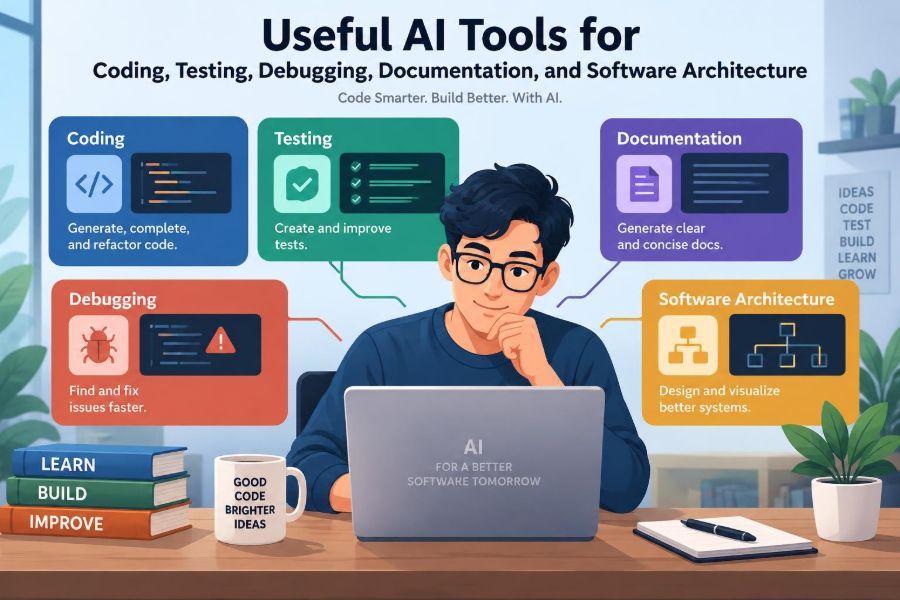

You open a pull request expecting a quick review, then notice an edge case nobody discussed. A test fails only in CI. A service diagram is six months out of date. The work is not just writing code; it is understanding a moving system under time pressure.
AI tools can help with many of these moments. They can suggest a test matrix, explain an unfamiliar stack trace, turn rough notes into a documentation draft, or challenge an architectural assumption. Used well, they reduce the friction around routine reasoning and communication.
But generated output is not automatically correct, secure, or appropriate for your codebase. Software engineering still requires judgment: knowing the requirements, checking behavior, protecting data, and accepting responsibility for the result.
The useful question is not whether an AI tool can write code. It is where it fits into a disciplined engineering workflow—and where it does not.
🧭 Start with the engineering problem, not the tool
“Write a function for this” is a weak starting point if the actual problem is unclear. Before prompting, identify the goal, inputs, constraints, expected failures, and definition of done.
For example, a request to “speed up search” could mean improving database indexes, reducing network calls, changing a slow algorithm, or merely making a loading state clearer. AI can offer possibilities, but it cannot reliably infer the product decision you have not made.
🧠 Treat AI as an assistant, not an authority
Language models generate plausible continuations from patterns in their training and supplied context. They do not execute your production environment in their head or possess guaranteed knowledge of your repository.
A productive mindset is to treat output as a reviewable proposal. Ask for alternatives, inspect assumptions, run the code, and compare its explanation with primary evidence such as tests, logs, specifications, and source code.
🔐 Understand what leaves your development environment
Prompts may contain source code, logs, customer data, credentials, internal architecture, or security findings. Sending any of these to an external service can create legal, contractual, privacy, or security concerns.
Use your organization’s approved tools and policies. Redact secrets and personal data, avoid pasting production dumps, and understand retention, training, access-control, and regional-processing settings before connecting an assistant to a repository.
🧩 Choose tools by workflow, not by hype
AI assistance appears in editors, command-line interfaces, pull-request review systems, issue trackers, test platforms, documentation tools, and architecture workspaces. The interface matters less than the task it improves.
| Workflow need | Useful capability | Required verification |
|---|---|---|
| Implementing a small change | Context-aware code completion | Compile, test, inspect the diff |
| Understanding a failure | Log and stack-trace explanation | Reproduce and confirm the cause |
| Writing tests | Case generation and scaffolding | Check assertions and coverage gaps |
| Maintaining docs | Drafting and summarization | Validate against current behavior |
| Designing systems | Trade-off analysis and diagram drafts | Review constraints with stakeholders |
A tool that saves ten minutes on a frequent, low-risk task may be more valuable than one that makes an impressive demo once a month.
⌨️ Use code completion for local, repetitive work
Completion tools are strongest when the nearby code supplies clear context: mapping fields between types, filling in a predictable interface method, creating a small serializer, or following an established test convention.
They are weaker when a few lines encode business policy. If a completion decides who may receive a refund or which record has priority, slow down. The syntax may look natural while the policy is wrong.
📝 Give coding prompts constraints that matter
A useful prompt includes the language, relevant interfaces, desired behavior, error-handling expectations, performance limits, and non-negotiable constraints. “Do not add dependencies” and “preserve backward compatibility” can matter more than the requested function name.
Implement a parser for this input format in TypeScript.
Return a typed error for malformed input.
Do not throw for user-provided data.
Keep the existing public API unchanged.
List assumptions before showing the code.
Asking for assumptions exposes ambiguity early. It also gives you something concrete to correct.
📦 Ask for small diffs instead of broad rewrites
Large generated rewrites are difficult to review, hard to merge, and likely to accidentally alter behavior. Prefer a focused change with a stated purpose.
For a legacy module, request a characterization test first: a test that captures current observable behavior, even if that behavior seems odd. Once behavior is protected, a smaller refactor is safer to evaluate.
🔍 Read generated code like an unfamiliar pull request
Generated code deserves the same review as code from a new contributor. Check names, control flow, error paths, null handling, concurrency assumptions, dependency choices, and public API effects.
Pay special attention to code that is concise but opaque. A one-line expression that silently changes coercion or ordering rules may cost more than a longer version that makes the rule explicit.
🧪 Generate test ideas, not just test files
AI can quickly propose equivalence classes, boundary values, invalid inputs, state transitions, and combinations that a developer may overlook. This is often more valuable than accepting a complete test suite unexamined.
For an order total, ask for cases involving empty carts, zero quantities, rounding, discounts, tax jurisdictions, duplicate requests, and canceled payments. Then decide which cases reflect actual product rules rather than merely technical possibilities.
🎯 Make assertions meaningful
A test that only checks “no exception was thrown” often says little. Generated tests can also mirror implementation details so closely that both implementation and test share the same mistake.
Prefer assertions about observable outcomes: returned values, stored state, emitted events, HTTP status codes, or user-visible behavior. A good question is: would this test fail if the requirement were broken?
🧱 Use AI to find missing test boundaries
Ask an assistant to construct a boundary table from a requirement. For a field allowing 1 through 100 characters, the useful cases are not random examples; they include empty input, 1, 100, 101, whitespace-only input, and relevant Unicode behavior.
This does not replace domain knowledge. A payment retry limit, for instance, may depend on provider semantics and customer experience, not just a numerical boundary.
🔄 Support property-based and fuzz testing carefully
Property-based testing checks general rules across many generated inputs. A property for a serialize-then-parse operation might be that parsing the serialized valid value reconstructs the original value.
AI can help formulate candidate properties and generators. Validate them carefully: a weak property can pass while hiding defects, and unrestricted generators may create invalid data that obscures the behavior you intended to test.
🐛 Turn stack traces into investigation plans
A stack trace tells you where an error became visible, not always where the defect began. An assistant can translate unfamiliar framework frames and suggest hypotheses, which is useful when entering an unfamiliar codebase.
Ask it to separate facts from guesses: identify the failing operation, list likely upstream causes, and propose the smallest observations that would distinguish them. This converts an explanation into a debugging plan.
🪵 Use logs as evidence, not as a story prompt
Logs are often incomplete, duplicated, or missing the correlation identifiers needed to follow one request. An AI summary can make a noisy incident easier to read, but it can also invent a tidy narrative from unrelated events.
Provide time ranges, service names, request IDs, and known deployments when permitted. Confirm any claimed sequence against timestamps, traces, metrics, and the actual code path.
🧫 Reproduce before you repair
The fastest-looking fix is frequently a patch for the symptom. Before changing code, create a reliable reproduction or a failing test whenever practical.
For an intermittent bug, capture the environment, input shape, timing, dependency responses, and version information. AI can help turn these notes into a minimal reproduction checklist, but the evidence must come from the system itself.
🧯 Guard against plausible debugging mistakes
When asked about an exception, an assistant may recommend adding a null check, retry, catch block, or timeout. Each might suppress the visible failure while retaining corrupted state, duplicate work, or a slow dependency.
Ask what invariant failed and what the system should do when it fails. Retrying is appropriate only when the operation is safe to repeat and the failure is plausibly transient.
📚 Draft documentation from verified sources
Documentation assistants are useful for turning API schemas, code comments, release notes, and meeting notes into readable drafts. They can also propose examples at different levels of detail.
Do not let a fluent description become the source of truth. Verify endpoint names, defaults, authorization rules, migration steps, and version-specific behavior against maintained specifications and running software.
🗺️ Explain codebases at multiple levels
New teammates need more than a file-by-file summary. They need to know where requests enter, where business decisions live, how data moves, and which services own which responsibilities.
Use AI to produce separate explanations for separate audiences: a five-minute orientation, a request lifecycle, a module map, and a deep explanation of a risky subsystem. Layered documentation is easier to keep useful than one enormous overview.
🧾 Keep docs close to change
Documentation decays when it is a distant afterthought. A practical review habit is to ask, for every behavior-changing pull request: what contract, runbook, example, or diagram is now inaccurate?
AI can create a draft update from a diff, but a reviewer should confirm that it describes the intended behavior—not simply whatever the current implementation happens to do.
🏗️ Use AI for architecture options, not architecture decisions
Architecture involves trade-offs among reliability, latency, cost, security, operability, team skills, and future change. An assistant can generate options such as a modular monolith, asynchronous worker, cache, queue, or separate service.
It cannot determine your organization’s tolerance for delayed consistency, operating burden, vendor constraints, or on-call capacity. Those are decisions for the people accountable for the system.
⚖️ Ask for trade-offs in a fixed format
Vague architecture advice tends to produce generic patterns. Request a structured comparison: assumptions, benefits, failure modes, operational needs, data-consistency implications, migration path, and questions that remain unanswered.
This format makes it harder to mistake a list of fashionable components for a design. It also reveals when two options differ mostly in operational complexity rather than user value.
📐 Turn requirements into quality attributes
“The system should scale” is not a design constraint until you define what scaling means. Quality attributes describe characteristics such as availability, response time, recoverability, confidentiality, and modifiability.
AI can help transform an ambiguous statement into questions: Which operation? Under which load pattern? What response is acceptable? What happens during partial failure? The answers guide architectural choices more reliably than a generic reference diagram.
🧵 Model data ownership and failure paths
Many architecture problems are data problems in disguise. If two services both write the same customer record, which one is authoritative? If an event is delivered twice, is the consumer idempotent—meaning safe to run repeatedly with the same effect?
Ask an assistant to enumerate write paths, retries, duplicates, out-of-order events, and compensation actions. Then validate the model with engineers who know the domain and operational realities.
🛡️ Include security in every prompt
Security review should not be a final checklist after the feature works. When generating code or designs, state the trust boundaries, authentication mechanism, authorization rules, sensitive fields, and prohibited logging behavior.
Useful requests include: identify injection risks, validate untrusted input, explain authorization decisions, and flag secrets that should be stored outside source code. Treat findings as leads for review, not a substitute for security expertise.
⚙️ Respect performance and operational context
Code that works on a laptop can fail under real traffic because of N+1 database queries, unbounded memory use, lock contention, large payloads, or slow downstream calls. AI may suggest an algorithm without knowing your data distribution or infrastructure limits.
Profile before optimizing. Use production-safe observability, representative benchmarks, and load tests where appropriate. Then ask AI to help interpret results or generate targeted experiments.
👥 Improve reviews without automating accountability
AI review tools can point out inconsistent error handling, duplicated logic, missing tests, suspicious string formatting, or changes that appear unrelated to a ticket. These are useful prompts for human attention.
They should not become automatic approval. Reviewers still need to understand the requirement, assess the diff’s impact, and decide whether tests demonstrate the right behavior.
🧑🏫 Use explanations to learn, not to skip learning
Students and early-career engineers can ask for a line-by-line explanation, a simpler version of a function, or a comparison between two approaches. This can shorten the time spent stuck on vocabulary and syntax.
Follow the explanation with active work: predict the output, change one condition, write a test, or explain the idea in your own words. Copying an answer creates code; practicing the reasoning builds engineering skill.
🧰 Build a repeatable AI-assisted workflow
A dependable loop makes AI assistance less random:
- Clarify the requirement and constraints.
- Ask for a small proposal, assumptions, and risks.
- Implement or adapt the smallest useful change.
- Run formatting, static analysis, tests, and relevant checks.
- Review the diff and test the failure paths.
- Update documentation and capture lessons from incidents.
The tool may accelerate individual steps, but the loop preserves the feedback that catches mistakes.
🚫 Avoid common adoption failures
The most common problem is not using AI; it is using it without a control system. Teams may paste sensitive context into unapproved tools, accept large diffs they cannot explain, or measure success only by lines produced.
- Do not merge code you cannot describe and test.
- Do not confuse generated tests with adequate coverage.
- Do not accept architecture diagrams without validating ownership and failure behavior.
- Do not let a chatbot replace incident evidence or stakeholder decisions.
📏 Measure outcomes that matter
Instead of tracking suggestion acceptance alone, look for workflow outcomes: time to understand a component, review turnaround, escaped defects, documentation freshness, incident follow-up quality, and developer confidence.
Numbers require context. A faster delivery rate is not a win if rework, alert noise, or security findings rise. Combine quantitative signals with developer feedback and periodic inspection of real changes.
🌱 Introduce tools through low-risk experiments
Start with a bounded use case such as test-case brainstorming for a non-sensitive service, summarizing approved internal documentation, or explaining build failures. Define what information may be used, how outputs are reviewed, and how success will be evaluated.
Small experiments expose practical gaps: missing repository context, inconsistent style, policy limitations, or tasks where the assistant adds little value. Expand only when the workflow remains trustworthy.
✅ Keep human judgment at the center
The best AI-assisted engineering is not fully automated engineering. It is engineering with faster drafts, more questions, broader test ideas, and less time lost to mechanical work.
Reliability still comes from clear requirements, explicit ownership, evidence-based debugging, automated checks, thoughtful review, and people willing to challenge a convincing answer. AI can strengthen those practices when it is embedded within them.
Use AI to accelerate understanding and iteration, but let verified evidence and accountable human judgment determine what ships. ⚙️🧪🧭