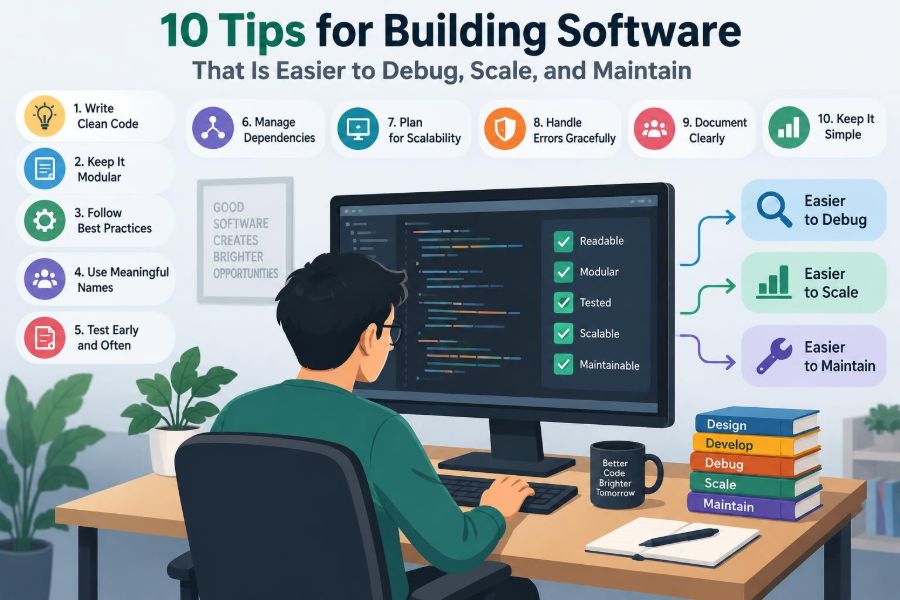

A service is working perfectly—until a customer reports that checkout failed, a dashboard becomes slow after a product launch, or an apparently harmless change breaks a workflow nobody remembered depended on it.
At that moment, the problem is rarely just one faulty line of code. The real cost comes from uncertainty: Where did the failure start? What changed? Which component owns the behavior? Can the team fix it without creating a second incident?
Software that is easy to debug, scale, and maintain is not produced by a single framework or a heroic late-night refactor. It is shaped by many small design decisions that make the system understandable under pressure.
The following ten tips focus on those decisions. They apply whether you are building a class project, a small internal tool, or a production service used by thousands of people.
🧭 Start With Operability, Not Just Features
A feature is complete only when people can understand and support it after release. That means considering failure modes, observability, data growth, and safe changes while the feature is still being designed.
This mindset is often called operability: the degree to which a system can be run, monitored, diagnosed, and repaired in its real environment. A clean demo path matters, but so do timeouts, malformed input, partial outages, and unexpected load.
For example, a file-upload feature needs more than a successful upload button. It needs size limits, understandable error messages, records of failed attempts, a way to trace a file through processing, and a plan for retrying temporary failures.
🔎 Why These Three Qualities Belong Together
Debuggability, scalability, and maintainability are often discussed separately, but they reinforce one another. A system with clear boundaries is easier to test and change; those same boundaries make it easier to distribute work or replace a bottleneck.
Likewise, useful telemetry helps locate a defect today and exposes a capacity trend before it becomes an outage. The goal is not to predict every problem. It is to reduce the time and risk involved in learning from one.
📏 Use Constraints to Guide Design
Before choosing an architecture, write down the constraints that actually matter. How much data may exist? Is the operation synchronous or can it happen later? What happens if a dependency is unavailable? Who needs to change this code next?
Constraints turn broad aspirations into decisions. “The system should scale” is vague. “A request must not wait for image processing, and processing can be retried safely” suggests an asynchronous job boundary.
- Expected request and data growth
- Latency expectations for user-facing actions
- Availability and consistency requirements
- Security and privacy obligations
- Team size, skills, and operational capacity
Document assumptions beside the design. Future maintainers can then evaluate whether an old choice is still valid rather than treating it as unexplained tradition.
🧩 Tip 1: Design Small, Explicit Boundaries
A boundary separates responsibilities: a user interface from an API, business rules from persistence, or a payment adapter from the rest of an application. Good boundaries make it clear what information crosses and which side owns a decision.
Consider an order service. Calculating whether an order is eligible for a discount is business logic. Sending an email receipt is a side effect. Keeping them distinct lets developers test the pricing rules without an email provider, and lets operations retry delivery without recalculating an order.
Small boundaries do not require a large number of microservices. A well-organized modular application can have strong internal boundaries with far less deployment and network complexity.
🧱 Keep Modules Cohesive
Cohesion describes how closely the responsibilities inside a module belong together. A module is cohesive when its parts change for related reasons.
A UserService that handles profiles, password resets, permissions, billing, marketing preferences, and report exports is likely to become a crowded dependency magnet. Separate those concerns based on business behavior, not merely on technical layers or filenames.
High cohesion narrows the search area during debugging. If notification behavior is wrong, a developer should not need to inspect unrelated invoice calculations simply because both happen to live in a general-purpose utility class.
🔌 Depend on Contracts, Not Hidden Details
A contract states what another component can expect: inputs, outputs, errors, ordering, timing, and ownership. It can be represented through an interface, an API schema, a documented event, or a carefully designed function signature.
The dangerous alternative is a hidden dependency. Perhaps a report silently assumes database rows arrive in a particular order, or one service relies on an undocumented field in another service’s response. These assumptions work until a legitimate internal change breaks them.
Keep contracts narrow. A function that receives a precisely defined value is easier to reason about than one that receives a large mutable object and is expected to know which fields happen to matter.
✍️ Tip 2: Make State and Data Flow Visible
Many hard bugs are really state bugs. A value was overwritten, a cache was stale, a request used the wrong tenant context, or two operations observed data in an unexpected order.
Prefer code where important state changes are easy to find. Pass dependencies explicitly, name transformations clearly, and avoid allowing distant parts of the program to alter shared state without a visible path.
A useful question is: “If this output is wrong, can I trace its inputs and transformations without guessing?” If the answer is no, the design is likely hiding too much.
🧼 Prefer Immutable Values Where Practical
An immutable value cannot be changed after it is created. Instead of modifying it, code produces a new value. This is especially useful for request data, configuration, domain values, and messages passed between concurrent tasks.
Immutability is not mandatory everywhere; copying large structures indiscriminately can have performance costs. But it reduces a common category of surprises: one function changes an object that another function still expects to be unchanged.
For example, rather than attaching temporary formatting fields to a shared order object, create a separate view model for the response. The domain object remains predictable, and presentation logic stays in its own layer.
🗃️ Treat Data Models as Long-Lived Interfaces
Database schemas, event payloads, and stored documents often outlive application code. Once data has been persisted or consumed by another system, changing its meaning requires compatibility thinking.
A safe migration usually separates steps: add a new field or structure, make readers understand both forms, backfill data if necessary, switch writers, and remove the old form only after it is no longer needed. The exact sequence depends on the database and deployment model, but the principle is stable.
Do not overload a field with a new meaning just because its name seems convenient. Ambiguous data becomes maintenance debt that every future query must interpret.
🧾 Tip 3: Build Observability Into the Product
Observability is the ability to infer a system’s internal behavior from its external signals. In practice, those signals are usually logs, metrics, traces, and user-visible health information.
Observability is not the same as adding more output. A thousand unstructured log lines can be less useful than one event that says which request failed, at which step, for what reason, and with what safe contextual identifiers.
Add signals near meaningful business and technical boundaries: an order was accepted, a payment attempt was declined, an external call timed out, or a background job exhausted its retry policy.
📋 Use Structured Logs That Answer Questions
Structured logging records named fields rather than only prose. A log event for a failed export might include an event name, export identifier, account identifier, duration, error category, and request or trace identifier.
This format makes logs searchable and aggregatable. It also encourages teams to decide what context is useful before an incident occurs.
Be disciplined about sensitive information. Passwords, authentication tokens, payment details, and unnecessary personal data should not be logged. Redaction policies and code review should treat logs as a potential data exposure surface.
🧵 Correlate Work Across Boundaries
A single user action may move through a web request, an API, a queue, a worker, and a third-party provider. Without a correlation identifier, these steps appear as unrelated events.
Propagate a request ID or trace context through each layer. When an incident occurs, an engineer can follow one operation from its starting point to its final outcome instead of reconstructing a story from timestamps alone.
Distributed tracing can help visualize these paths, but the underlying practice matters more than a particular tool: preserve context whenever work crosses a process, service, or asynchronous boundary.
📈 Measure Symptoms and Capacity
Metrics show patterns that individual logs cannot. Useful examples include request rate, latency distributions, error counts, queue depth, database connection use, cache behavior, and job age.
Measure user-facing symptoms as well as infrastructure utilization. A server with modest CPU use can still deliver a poor experience because it is waiting on a slow dependency or because a database query is inefficient.
| Signal | Helpful question | Example use |
|---|---|---|
| Logs | What happened in this case? | Investigate one failed request |
| Metrics | How often or how much? | Spot growing error rates or queue depth |
| Traces | Where did time or failure occur? | Follow a request across services |
✅ Tip 4: Test Behavior at Several Levels
Tests are not merely a gate before deployment. They are executable explanations of expected behavior, especially valuable when someone changes code months later.
No single test style catches every problem. Small tests are fast and precise; broader tests reveal integration mistakes; a few realistic end-to-end checks verify critical user journeys. The right mix depends on the system’s risk and architecture.
A healthy test suite gives fast feedback without trying to reproduce every possible production condition in a local environment.
🧪 Test Rules, Boundaries, and Failure Paths
Test business rules directly: tax rounding, eligibility, access permissions, and state transitions. These rules are often where subtle regressions carry real consequences.
Then test boundaries where your code meets a database, network, filesystem, browser, or third-party API. Boundary tests can catch incorrect serialization, migrations, authentication assumptions, and version mismatches.
Failure behavior deserves explicit tests too. What happens when a dependency times out? Is a duplicate message harmless? Does an invalid request return a useful response without exposing internals?
🎭 Use Realistic Test Data Carefully
Overly simple test data hides problems. A name containing punctuation, an empty optional field, a large list, an unusual time zone, or a record with no related rows can expose assumptions that “happy path” fixtures miss.
At the same time, copying production data into development environments can create privacy and security risks. Use synthetic or properly anonymized data, and make fixtures readable enough that their purpose is obvious.
🔁 Tip 5: Make Changes Small, Reversible, and Safe
Large changes increase uncertainty because many causes can explain a new failure. Small, focused changes reduce the search space and are easier to review, test, deploy, and revert.
Reversibility is an engineering feature. If a deployment causes errors, can you restore a known working version? If a schema changes, can older code still operate long enough to roll back safely?
A feature flag can separate deployment from release, allowing a new behavior to exist in production without immediately affecting every user. Flags require ownership and removal plans; permanent flags create their own confusing branches of behavior.
🚀 Deploy in Increments
Incremental rollout limits the blast radius of an issue. A team might enable a change for internal users, a small segment, or a single region before expanding it. The appropriate technique depends on the product and infrastructure.
Watch relevant signals during rollout, not just whether deployment succeeded. A successful build can still produce slower pages, more retries, or a business workflow that users abandon.
Define what would cause a pause or rollback before release. Decisions are clearer when made from agreed signals rather than from stress during an incident.
🧯 Design for Idempotency and Retries
Networks fail in inconvenient ways. A caller may not know whether a request succeeded, so it retries. If “create payment” runs twice, the outcome must not accidentally charge twice.
Idempotency means repeating an operation has the same intended result as performing it once. Common approaches include client-provided idempotency keys, unique constraints, deduplication records, and state machines that reject invalid repeated transitions.
Retries should be bounded and deliberate. Retrying a temporary timeout may help; rapidly retrying a permanent validation failure wastes resources and can amplify an outage.
⚙️ Tip 6: Scale the Bottleneck You Actually Have
Scaling is not synonymous with adding servers. First identify what is constrained: CPU, memory, database locks, a slow query, connection limits, external API capacity, queue consumers, or an inefficient algorithm.
For instance, adding application instances does little if every request waits on the same unindexed database query. More instances may even increase pressure on the database.
Profile and measure representative workloads before choosing a solution. Production behavior can differ from local tests because of data size, concurrency, network latency, and caching patterns.
📦 Separate Synchronous Work From Background Work
A user generally needs confirmation that an action was accepted, not that every follow-up task has already finished. Email delivery, report generation, media processing, and noncritical notifications often fit background processing.
A queue buffers work between producers and consumers. It can smooth bursts and allow workers to scale independently, but it also introduces delayed processing, duplicate delivery possibilities, monitoring needs, and recovery procedures.
Use asynchronous work when delayed completion is acceptable and the business flow can represent intermediate states honestly—such as “report is being generated”—rather than pretending completion was immediate.
🗄️ Protect Your Database Deliberately
Databases are frequent scaling limits because they coordinate shared data. Start with fundamentals: indexes that match real queries, bounded result sets, connection pooling, sensible transaction scope, and query plans inspected when performance changes.
Avoid the accidental N+1 query pattern, where code loads a list and then makes another query for each item. It may look harmless with ten records and become costly with thousands.
Caching can reduce repeated reads, but it creates questions about expiry and invalidation. Cache data that is safe to be temporarily stale, and keep the source of truth clear.
🧠 Tip 7: Write Code for the Next Reader
Most code is read more often than it is written. Names, structure, and local clarity therefore have compounding value.
Prefer a name that describes intent, such as calculateRenewalPrice, over a generic verb such as process. Keep functions focused enough that a reader can summarize their purpose without tracing a long chain of mutable variables.
Comments should explain why a non-obvious decision exists, not narrate syntax the code already expresses. A comment describing a vendor limitation or a deliberate compatibility workaround can prevent a well-meaning future “cleanup” from reintroducing a bug.
🧰 Keep Configuration Out of Application Logic
Environment-specific values—service addresses, feature settings, credentials, thresholds, and timeouts—should not be scattered as hidden constants throughout business code.
Centralize configuration, validate it at startup, and distinguish secrets from ordinary settings. A clear configuration model makes deployments more predictable and reduces the temptation to make emergency source-code edits for operational changes.
Configuration can become overly flexible. If every behavior is controlled by poorly documented switches, no one knows which system is actually running. Prefer a small, explicit set of settings with ownership.
🧹 Pay Down Complexity Continuously
Technical debt is not simply old code. It is the future cost created when a shortcut, missing test, unclear dependency, or fragile design makes later work slower or riskier.
Some debt is a reasonable trade-off when learning quickly or responding to a real deadline. The problem is debt that remains invisible and accumulates interest through repeated workarounds.
Track concrete consequences: “This module requires manual testing because it has no seam for dependency injection” is more actionable than “the code is messy.” Address debt near the work it affects, while reserving larger refactors for cases with a clear safety and delivery plan.
🤝 Tip 8: Make Ownership and Interfaces Socially Clear
Maintainability is partly a team property. A well-written module still becomes difficult to change if nobody knows who can answer questions, approve risky updates, or respond when it fails.
Document ownership for services, repositories, dashboards, alerts, and critical data flows. Ownership does not mean one person is permanently responsible; it means there is a visible route to context and decisions.
Code review should examine operational consequences alongside correctness. Reviewers can ask: What happens if this dependency is slow? Can this migration coexist with the previous version? Which log or metric will reveal failure?
📚 Preserve Decisions, Not Just Documentation
Long documents often become stale, while no documentation leaves teams repeatedly rediscovering old trade-offs. A lightweight decision record can capture the problem, alternatives considered, chosen approach, and consequences.
For example, record why a service uses eventual consistency for notification status: immediate cross-system coordination was not required, and retryable asynchronous delivery was preferred. A future engineer can then assess that choice against new requirements.
Keep operational runbooks practical. They should point to symptoms, first checks, rollback options, and escalation paths—not attempt to predict every possible incident.
🛡️ Tip 9: Treat Errors as Part of the Interface
An error response is a product and engineering interface. Users need actionable guidance, callers need stable categories, and operators need enough context to investigate without seeing sensitive implementation details.
Differentiate invalid input, missing permissions, conflicts, temporary dependency failures, and unexpected internal errors. Collapsing every failure into a generic message makes both recovery and debugging harder.
Internally, preserve the cause and context. Externally, return only what is safe and useful. This distinction helps avoid leaking stack traces, database details, or account information.
⏱️ Use Timeouts, Limits, and Backpressure
Without limits, one slow or abusive operation can consume resources needed by everyone else. Timeouts place a bound on waiting; size limits bound memory and storage use; rate limits control demand; concurrency limits prevent an overloaded dependency from being flooded.
Backpressure is the ability to slow producers when consumers cannot keep up. A queue with growing depth is not a solution by itself—it is a visible signal that processing capacity, input rate, or job behavior needs attention.
Choose limits based on the user experience and dependency behavior, then revisit them with real measurements. Values copied from another project may be unsuitable for your workload.
🔐 Include Security in Everyday Maintainability
Security shortcuts often become maintenance problems: unclear authorization checks, shared credentials, unpatched dependencies, and untracked secrets make incidents harder to contain and changes harder to trust.
Apply authorization close to the protected action, use least-privilege access where feasible, keep secrets out of source control and logs, and update dependencies through a routine process rather than only during emergencies.
Threat models need not be elaborate to be useful. Ask what assets matter, who can access an entry point, and what misuse could occur if a boundary fails. The answers often improve ordinary error handling and auditability too.
🏗️ Tip 10: Choose the Simplest Architecture That Fits
Complexity has an operational price. Every service adds deployments, versioning, authentication, monitoring, networking, failure modes, and ownership questions. Every abstraction adds concepts that a maintainer must learn.
A modular monolith is often an excellent starting point: one deployable application with internal modules that have explicit boundaries. It can be easier to debug and evolve than a distributed system while still leaving room to extract components when a concrete need appears.
Choose distributed components when independent scaling, isolation, team autonomy, or technology needs justify their costs—not because a diagram looks more modern.
⚖️ Recognize Trade-Offs Instead of Chasing Rules
There is no universal best design. Strong consistency can simplify some business rules but reduce availability during a partition. Caching can improve latency but make freshness harder. Extensive instrumentation improves diagnosis but consumes engineering effort and may generate noise.
The practical skill is making trade-offs explicit. State what is optimized, what risk is accepted, and what signal will tell you the decision needs review.
This is also why premature optimization is risky. Simplify the important path, measure it, and improve the limiting factor rather than building elaborate machinery for a problem that may never arrive.
🧭 A Practical Build Checklist
Before calling a significant feature ready, use a short review that reaches beyond the happy path:
- Are responsibilities and ownership boundaries understandable?
- Can an engineer trace one request or job through the system?
- Are key rules and failure paths tested?
- Can the change be rolled back or disabled safely?
- Are retries, duplicates, timeouts, and limits considered?
- Is data evolution compatible with deployment order?
- Do relevant logs, metrics, and alerts exist?
- Is the simplest design still meeting the known constraints?
Not every item needs the same level of investment. A small administrative tool and a payment workflow carry different risks. The checklist is a prompt for proportionate judgment, not a ceremony.
🌱 Improve One Pain Point at a Time
Teams do not need a rewrite to improve software quality. Start with the most expensive recurring pain: an untraceable failure, a slow query, fragile deployments, unclear ownership, or a missing regression test around a frequently changed rule.
Make the improvement visible. Add a trace identifier, extract one cohesive module, establish a migration pattern, or write a runbook after resolving an incident. Small investments compound because each one makes the next change easier to understand.
🏁 The Core Principle: Make Behavior Understandable
The common thread in all ten tips is not a specific language, cloud platform, or architectural pattern. It is making the system’s behavior legible to the people who build and operate it.
Explicit boundaries reveal responsibility. Visible state and telemetry reveal cause. Tests and reversible changes reduce risk. Measured scaling and deliberate limits prevent growth from becoming guesswork. Clear ownership preserves knowledge as teams and codebases evolve.
When a system is understandable, failures become investigations with evidence rather than expeditions through assumptions. That is the foundation of software that can keep changing without becoming increasingly difficult to trust.
Build for the next failure, the next change, and the next person who must understand what happened—and your software will be easier to debug, scale, and maintain. ⚙️ 🔍 🌱