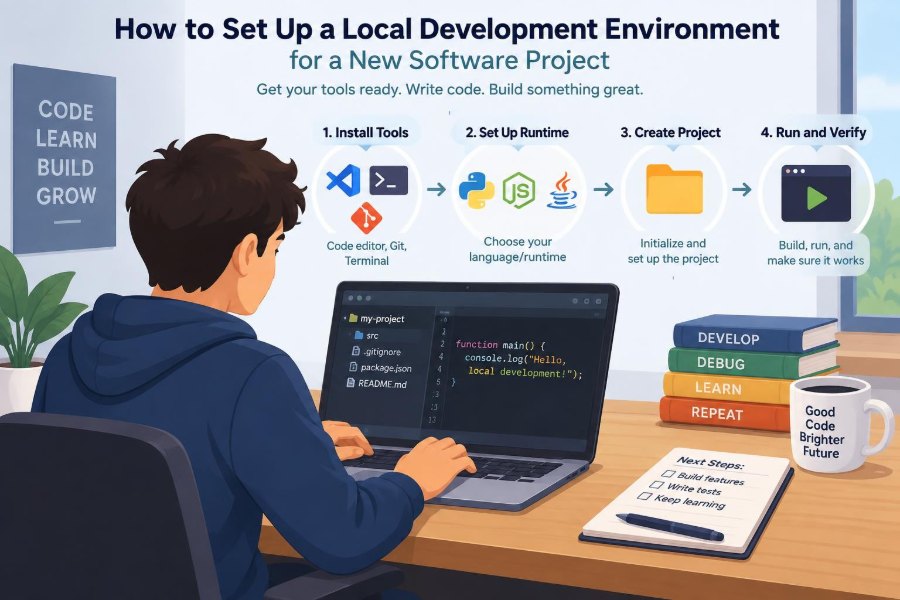

You join a new project, clone the repository, and expect to make a small change before lunch. Instead, the application will not start. A dependency is missing, a database connection fails, and a command that works for a teammate fails on your machine.
This situation is common because a codebase is only one part of a working system. It also depends on language runtimes, packages, services, credentials, configuration, and shared conventions.
A local development environment is the version of that system built for one developer’s computer. When it is designed and documented well, it lets people run, test, debug, and change software safely without depending on a shared production system.
Setting it up is not merely an installation task. It is an early exercise in understanding how the project works—and a chance to make the next developer’s first day easier.
🧭 Start With the Project’s Actual Requirements
Before installing tools, find the project’s source of truth. Read the README, contributor guide, architecture notes, issue tracker, and any setup scripts. A recent pull request can also reveal how contributors run checks in practice.
Separate requirements into categories: tools needed to edit code, services needed to run it, and commands needed to verify changes. This prevents the common mistake of installing a large collection of software before knowing what the project actually uses.
🎯 Define What “Working Locally” Means
“The app starts” is a useful milestone, but it is not a complete definition of readiness. Decide what a functional local environment must support for this project.
- Starting the application or relevant service
- Running automated tests and static checks
- Connecting to local or approved development dependencies
- Creating or loading representative data
- Debugging a request, job, or failing test
- Building the artifact that the project normally ships
A small command-line tool may need only a runtime and tests. A web platform may also require an API, web client, database, cache, message broker, and background worker.
🗺️ Map the System Before You Build It
Draw a simple dependency map. Identify which components receive requests, store data, process background work, and communicate with outside systems. The map does not need to be a formal diagram; a few notes can prevent hours of guesswork.
For example, a checkout page may call an API, which reads a database, writes an event to a queue, and asks a payment provider for authorization. Locally, the payment provider may need a sandbox account or a stub rather than a real connection.
💻 Choose a Supported Operating System Path
A project should state which operating systems it supports for development. Supporting every operating system is not always realistic, especially when native tools or platform-specific dependencies are involved.
If your team standardizes on one path, follow it unless there is a reason not to. A developer using an unusual setup can still contribute, but should expect to diagnose problems that teammates cannot reproduce easily.
📦 Install Version-Control Tools First
Git is usually the first essential tool because it obtains the source code and records your work. Verify that it is installed, configure your name and email according to your organization’s policy, and confirm that you can authenticate with the project host.
Use the repository’s recommended clone method. SSH is often convenient after initial configuration; HTTPS may be simpler in managed environments. Do not paste access tokens into shell history, source files, or configuration committed to the repository.
🌿 Clone Cleanly and Inspect Repository Conventions
After cloning, pause before running commands. Look for files that communicate conventions: runtime version files, lockfiles, editor settings, formatting configurations, container definitions, task runners, and continuous integration workflows.
These files often answer practical questions more accurately than an old setup note. A workflow file, for instance, shows the runtime version and commands used in an automated clean environment.
🔢 Pin Language and Runtime Versions
Programming languages and runtimes change over time. Code that works with one version of Node.js, Python, Java, Ruby, .NET, or another platform may fail—or behave differently—with another.
Use the version requested by the repository whenever possible. A version manager helps you install and switch versions without replacing the system-wide runtime. The specific tool varies by ecosystem, but the principle is consistent: make the version explicit and repeatable.
# Example only: verify the runtime selected by your project
runtime --version
Do not assume “newest” means “best.” Newer versions can be appropriate after a deliberate upgrade, not as an accidental difference between developers.
🧰 Keep System Tools Separate From Project Tools
Some tools belong on the machine: a version-control client, container engine, compiler, or database client. Others should be installed inside the project, where their versions can be controlled by its dependency manifest.
A globally installed formatter or test runner can silently differ from the version used in automation. Prefer project-local commands when the ecosystem supports them. This makes results more reproducible across laptops and CI servers.
📚 Understand Dependency Manifests and Lockfiles
A dependency manifest declares what the project needs, often including acceptable version ranges. A lockfile records a resolved dependency graph so installations use known versions rather than whatever became available later.
For an existing application, use the package manager command intended to respect the lockfile. Avoid casually regenerating it during setup; a changed lockfile can introduce unrelated updates and make a small change difficult to review.
🔒 Treat Package Installation as a Supply-Chain Boundary
Installing dependencies runs code in some ecosystems, directly or through lifecycle scripts. Use the organization’s approved package registries and avoid copying package commands from untrusted snippets.
When installation fails, read the first meaningful error rather than repeatedly rerunning the command. It may point to an unsupported runtime, unavailable private registry, missing compiler, certificate issue, or network restriction.
🏗️ Install Native Build Prerequisites When Needed
Not every dependency is pure application code. Some packages compile native extensions or rely on operating-system libraries, headers, compilers, or build tools.
Errors mentioning compilation, missing headers, or a failed native module often indicate a system prerequisite rather than a bug in application code. Document the required package by name and platform, but avoid turning a workaround into a universal instruction without checking it.
🐳 Decide Whether Containers Fit the Project
Containers package an application or service with much of its runtime environment. They are particularly useful for databases, queues, and services that are awkward to install directly on every operating system.
They are not automatically the right answer for every project. A containerized workflow can consume more resources, complicate file permissions, or slow feedback on some machines. Use them when they improve consistency more than they add operational friction.
🧱 Distinguish Application Containers From Service Containers
A practical hybrid setup is common: run the application process directly for fast editing and debugging, while running infrastructure dependencies in containers. This can make breakpoints, hot reload, and local command execution simpler.
Running everything in containers can better match deployment environments. Choose based on the team’s needs, then document the expected workflow clearly rather than leaving each contributor to invent one.
🗄️ Create a Local Database Deliberately
A local database should be isolated from shared environments. Give it a distinct name and credentials, and confirm the connection string points to the intended host before running migrations or data-changing commands.
Use the same database engine and a reasonably compatible version when feasible. Different engines may accept similar queries but differ in data types, indexes, transaction behavior, or case sensitivity—differences that can hide defects until later.
🧬 Run Migrations Instead of Hand-Building Schema
Migrations are ordered changes that describe how a database schema evolves. They let a fresh database reach the structure expected by the current version of the application.
Run the project’s migration command, then verify its result with a simple health check or application startup. Manually creating tables may seem faster, but it creates a state that other developers and automated environments cannot reliably reproduce.
🌱 Seed Data That Helps Real Development
Schema alone is rarely enough to explore an application. Seed data creates useful sample records, such as a test user, a product catalog, or a few orders with different statuses.
Good seed data is small, deterministic, and safe to reset. It should demonstrate meaningful states without pretending to be production data. Never copy personal, confidential, or sensitive production information into a local database unless your organization has explicitly authorized a controlled process.
🔐 Manage Secrets Without Committing Them
Applications commonly need secrets: API keys, signing values, database passwords, and OAuth client credentials. Keep these outside source control, usually in environment variables or a local untracked configuration file.
Commit a template such as .env.example with variable names and harmless sample values. This tells newcomers what they need without exposing credentials.
# .env.example
DATABASE_URL=postgres://app:password@localhost:5432/app_development
PAYMENT_API_KEY=replace_with_sandbox_key
A file being ignored by Git is not a security system by itself. Treat local secret files carefully, rotate accidentally exposed credentials promptly, and use sandbox credentials where possible.
⚙️ Make Configuration Explicit
Configuration answers questions that source code should not hard-code: which port to use, which service endpoint to call, whether debug logging is enabled, and what feature settings apply.
Provide sensible local defaults, but make important differences visible. Silent fallbacks can be dangerous when they cause a developer to connect to a remote service unexpectedly. A startup message that identifies the environment and service targets is often helpful.
🌐 Handle External Services With Care
Many projects depend on email providers, payment gateways, object storage, analytics, identity systems, or third-party APIs. Local development should not send real email, charge real cards, or mutate customer records.
Choose an approach based on the behavior being tested: a vendor sandbox for integration confidence, a local emulator when available, or a stub for fast and controlled unit tests. No single approach covers every failure mode.
🧪 Build a Useful Test Pyramid Locally
Local testing should provide quick feedback before a change reaches shared automation. Unit tests exercise small pieces of logic in isolation; integration tests check components working together; end-to-end tests follow user-facing flows through more of the system.
Run the smallest relevant test first, then broader checks when the change warrants them. A payment calculation change might begin with focused unit tests, continue with an API integration test, and finish with the project’s normal test suite.
🧹 Configure Formatting, Linting, and Type Checks
Formatters make code layout consistent. Linters flag suspicious patterns and style violations. Type checking, where available, checks whether values are used according to declared or inferred types.
Install editor extensions only when they use the project’s configuration and local tools. An editor that reformats code differently from the repository creates noisy diffs and distracts reviewers from the actual change.
🧠 Set Up Your Editor for Fast Feedback
A capable editor can surface errors while you work, navigate definitions, run tests, and attach a debugger. Start with the project’s recommended settings rather than adding every extension you can find.
Useful capabilities usually include language support, formatting on save if the team uses it, test discovery, and terminal integration. Keep settings portable when possible by storing shared editor configuration in the repository.
🐞 Prepare a Debugging Path Before You Need It
Logs tell you what the program reported; a debugger lets you pause execution, inspect values, and follow control flow. Both are useful, but neither replaces the other.
Learn one debugging path early: how to run the application in debug mode, place a breakpoint, or inspect a failing test. For distributed behavior, make sure you can view logs from the application and its local dependencies in one place.
🔌 Verify Ports, Processes, and Health Checks
Local projects often fail for ordinary reasons: a port is already in use, a previous process is still running, or a dependent service has not finished starting. Treat these as environmental facts to inspect, not mysterious application failures.
Record expected ports and a simple health-check route or command. A short checklist—database ready, cache ready, API listening, worker connected—makes startup failures easier to isolate.
🚦 Match Continuous Integration Early
Continuous integration, or CI, is the automated environment that builds and checks changes. Its configuration is valuable because it represents the checks a contribution must eventually pass.
Run the closest practical local equivalent: installation, formatter, linter, type checker, tests, and build. You may not reproduce every CI detail locally, but matching its runtime versions and core commands reduces surprises after opening a pull request.
📝 Turn Setup Into Repeatable Commands
A sequence of undocumented terminal commands is fragile. Replace repeated manual steps with named scripts, task-runner targets, or a documented command sequence that a new contributor can execute from a clean checkout.
A useful setup command might install dependencies, start local services, apply migrations, and print next steps. Keep destructive operations separate and clearly named; a command called reset-local-data should never be mistaken for a harmless status check.
✅ Validate With a Small End-to-End Smoke Test
After setup, perform one realistic workflow. Register a sample user, create a record through the interface, call an API endpoint, or run a background job and confirm its result.
This is a smoke test: a quick check that the major pieces are connected. It does not prove every feature is correct, but it catches a class of problems that isolated startup checks miss.
🧯 Diagnose Failures Systematically
When setup breaks, reduce the problem. Copy the exact command and first useful error, confirm versions, check configuration values, and identify the first dependency that is unavailable.
- Command not found: the tool is missing or not on the shell path.
- Connection refused: the target service is stopped, on another port, or not reachable.
- Authentication failed: credentials, permissions, or the selected environment may be wrong.
- Works for one developer only: compare runtime, lockfile, operating system, and configuration differences.
Changing several things at once makes diagnosis harder. Make one controlled change, rerun the smallest relevant command, and keep notes on what resolved the issue.
📖 Write Documentation for the Clean-Machine Test
Documentation is successful when someone with a fresh machine can follow it without relying on tribal knowledge. Include prerequisites, exact setup commands, expected outputs, configuration variables, common failures, and a validation step.
Test the instructions periodically in a clean environment or with a teammate who has not already accumulated hidden dependencies. If a step exists only in chat messages or someone’s memory, it is a future onboarding problem.
👥 Agree on Team Conventions, Not Just Tools
Two developers can have the same software installed and still produce friction if they use different commands, formatting behavior, test data, or branch practices. A local environment is partly a social contract.
Decide what must be consistent—runtime version, package manager, formatting, required checks—and where personal choice is acceptable. Standardize the boundaries that affect shared code; avoid prescribing personal preferences that do not affect collaboration.
⚠️ Avoid Common Setup Shortcuts
Several shortcuts create delayed costs. Editing generated files, bypassing checks permanently, sharing a single mutable development database, and copying another person’s secret file may get an application running while making the environment less trustworthy.
Another trap is treating a long-lived local state as normal. If the project only works after weeks of accumulated caches, manual patches, and unrecorded data, a clean setup will eventually expose the gap.
🔄 Refresh and Reset Without Losing Control
Dependencies, schemas, and configuration evolve. A setup guide should explain how to update safely: pull changes, install locked dependencies, migrate the database, restart services, and rerun validation.
Provide a reset path for corrupted local state, but state exactly what it deletes. Developers are more willing to recover quickly when they know whether a command removes containers, volumes, local files, or only disposable sample data.
📏 Know When Local Parity Has Limits
A laptop cannot always reproduce production scale, network topology, operating system behavior, managed cloud services, or security controls. Local development aims for useful confidence and fast feedback, not a perfect miniature of every production condition.
Use shared development, staging, or ephemeral review environments for checks that require realistic integrations or infrastructure. The key is to understand which risks local testing covers and which need another environment.
🏁 The Core Principle: Make the First Change Easy
The best local environment is not the one with the most tooling. It is the one that gives a contributor a reliable route from a clean checkout to a verified, safe first change.
That route depends on explicit versions, controlled dependencies, isolated data, protected secrets, repeatable commands, and documentation that is tested as carefully as the software. Each removes a different source of uncertainty.
A development environment is part of the product’s engineering system: when it is reproducible, observable, and safe to reset, people can spend more time solving software problems and less time repairing their tools. ⚙️🧪🚀